SmartWatch Sync & Bluetooth notifier
3.0
١٠ مليونتنزيل
5.86 ميجابايتالحجم
موقّع وموثوق
لقطات الشاشة
عن التطبيق
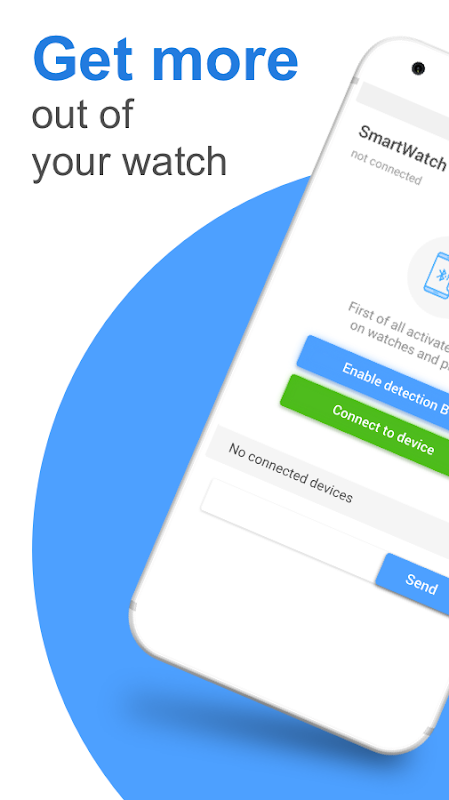
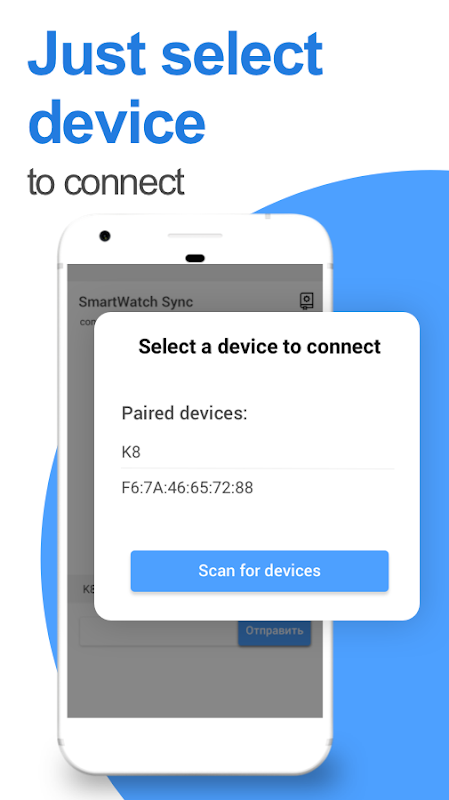
Connect you watch to smartphone. Free-to-use app forever.
It works with all china's watches
1. Make sure Bluetooth is turned on. You should see the little Bluetooth symbol at the top of your phone’s screen. If you don’t, go into the settings to enable it.
2. Determine which pairing process your device employs. The process for pairing devices can vary. Sometimes, for example, it involves tapping a code into your phone. Other times, you can just physically touch your phone to the device you want to pair it with. Or in the case of the Bose SoundLink, you only have to hold down a button on the speaker to pair it with a phone.
If you’re not sure how to pair a device, refer to its user guide; you can usually find one by searching online.
3. Turn on discoverable mode. Let’s say you want to pair your phone with your car’s infotainment system so you can enjoy hands-free calling, texting and navigation. First, go into your phone’s settings and tap on Bluetooth; doing so makes the phone visible to the car. Then depress the buttons on your car's infotainment system, usually on the steering wheel or center stack, to get it looking for the device.
Once it finds your phone, the car may ask for a numeric code you need to confirm or input on your phone. After you do so, the devices should be paired. Keep in mind your phone or your car may only stay in discoverable mode for a few minutes; if you take too long, you’ll need to start over.
4. Make sure the two devices are in close enough proximity to one another. While you wouldn’t think someone might try to pair an iPad with a keyboard if the two weren’t sitting right next to each other, it’s probably worth noting that you should make sure any devices you're trying to pair are within five feet of one other.
5. Power the devices off and back on. A soft reset sometimes can resolve an issue. With phones, an easy way to do this is by going into and out of airplane mode.
6. Power down likely interferers. Say that faithful Bluetooth speaker usually connects to your partner's smartphone instead of yours. If you're having trouble pairing your phone with the speaker, it could be because the speaker is trying to activate its usual connection. Some older devices are very simple. They just try to connect with the last thing they paired with. If a Bluetooth device was previously paired with something else, turn off that other gadget.
7. Charge up both devices you're trying to pair. Some devices have smart power management that may turn off Bluetooth if the battery level is too low. If your phone isn't pairing, make sure it and the device you're trying to pair with have enough juice.
8. Delete a device from a phone and rediscover it. If your phone sees a device but isn’t receiving data from it, sometimes it helps to start from scratch. In iOS settings, you can remove a device by tapping on its name and then Forget this Device. In Android settings, tap on a device’s name, then Unpair. After removing a device, start at step 1 on this list.
توصيل يمكنك مشاهدة الهاتف الذكي. تطبيق مجاني للاستخدام إلى الأبد.
وهي تعمل مع جميع ساعات الصين
1. تأكد من تشغيل البلوتوث. يجب أن ترى رمز Bluetooth الصغير في الجزء العلوي من شاشة هاتفك. إذا لم تقم بذلك ، فانتقل إلى الإعدادات لتمكينها.
2. حدد عملية الاقتران التي يستخدمها جهازك. يمكن أن تختلف عملية الاقتران بالأجهزة. في بعض الأحيان ، على سبيل المثال ، يتضمن التنصت على رمز في هاتفك. في أوقات أخرى ، يمكنك فقط لمس هاتفك فعليًا على الجهاز الذي تريد إقرانه به. أو في حالة Bose SoundLink ، عليك فقط الضغط على زر على السماعة لإقرانها بهاتف.
إذا لم تكن متأكدًا من كيفية إقران جهاز ، فراجع دليل المستخدم الخاص به ؛ يمكنك عادة العثور على واحدة من خلال البحث على الإنترنت.
3. قم بتشغيل الوضع القابل للاكتشاف. لنفترض أنك تريد إقران هاتفك بنظام المعلومات والترفيه في سيارتك حتى تتمكن من الاستمتاع بالاتصال بدون استخدام اليدين والرسائل النصية والتنقل. أولاً ، انتقل إلى إعدادات هاتفك وانقر على Bluetooth ؛ القيام بذلك يجعل الهاتف مرئيًا للسيارة. ثم اضغط على الأزرار الموجودة على نظام المعلومات والترفيه في سيارتك ، عادةً على عجلة القيادة أو المكدس الأوسط ، حتى تبحث عن الجهاز.
بمجرد العثور على هاتفك ، قد تطلب السيارة رمزًا رقميًا تحتاج إلى تأكيده أو إدخاله على هاتفك. بعد القيام بذلك ، يجب إقران الأجهزة. ضع في اعتبارك أن هاتفك أو سيارتك قد تبقى فقط في وضع يمكن اكتشافه لبضع دقائق ؛ إذا كنت تستغرق وقتًا طويلاً ، فستحتاج إلى البدء من جديد.
4. تأكد من أن الجهازين على مقربة من بعضها البعض. على الرغم من أنك لا تعتقد أن شخصًا ما قد يحاول إقران جهاز iPad بلوحة مفاتيح إذا لم يكن الجهازان يجلسان بجوار بعضهما البعض ، فمن الجدير بالملاحظة أنه يجب عليك التأكد من أن أي أجهزة تحاول إقرانها على بعد خمسة أقدام من واحد آخر.
5. قم بتشغيل وإيقاف تشغيل الأجهزة. إعادة تعيين ضعيف في بعض الأحيان يمكن حل مشكلة. مع الهواتف ، تتمثل طريقة سهلة للقيام بذلك في الدخول إلى وضع الطائرة والخروج منه.
6. السلطة أسفل التدخل المحتمل. قل أن مكبر صوت Bluetooth المؤمن يتصل عادةً بالهاتف الذكي الخاص بشريكك بدلاً من الاتصال به. إذا كنت تواجه مشكلة في إقران هاتفك بالسماعة ، فقد يرجع ذلك إلى أن السماعة تحاول تنشيط اتصالها المعتاد. بعض الأجهزة القديمة بسيطة للغاية. يحاولون فقط التواصل مع آخر شيء يقترن به. إذا كان قد تم إقران جهاز Bluetooth مسبقًا بشيء آخر ، فأوقف تشغيل الأداة الذكية الأخرى.
7. اشحن الجهازين اللذين تحاول الاقتران بهما. تحتوي بعض الأجهزة على إدارة طاقة ذكية قد تؤدي إلى إيقاف تشغيل Bluetooth إذا كان مستوى البطارية منخفضًا للغاية. إذا لم يكن هاتفك مقترنًا ، فتأكد من احتوائه على الجهاز الذي تحاول إقرانه بما يكفي من العصير.
8. احذف الجهاز من الهاتف وأعد اكتشافه. إذا رأى هاتفك جهازًا ولكنه لا يتلقى بيانات منه ، فقد يساعدك في بعض الأحيان في البدء من نقطة الصفر. في إعدادات iOS ، يمكنك إزالة جهاز عن طريق النقر فوق اسمه ثم نسيت هذا الجهاز. في إعدادات Android ، انقر فوق اسم الجهاز ، ثم إلغاء التثبيت. بعد إزالة الجهاز ، ابدأ في الخطوة 1 في هذه القائمة.
معلومات إضافية
تاريخ التحديث
2026-10-06الإصدار
7.6الحجم
5.86 ميجابايتالمطور
OnSoftonsoftstudio@gmail.com
تصنيف المحتوى
Everyoneالحزمة
com.OnSoft.android.BluetoothChatالتوقيع (MD5)
9ba141c9d5ecc1409787fac5d4291fbcإصدارات سابقة
1.1.92017-11-19 • 2.11 ميجابايت