Back Button Gesture Launcher (Paid Edition)
1.0
٥٠٠تنزيل
366.82 كيلوبايتالحجم
موقّع وموثوق
لقطات الشاشة
عن التطبيق
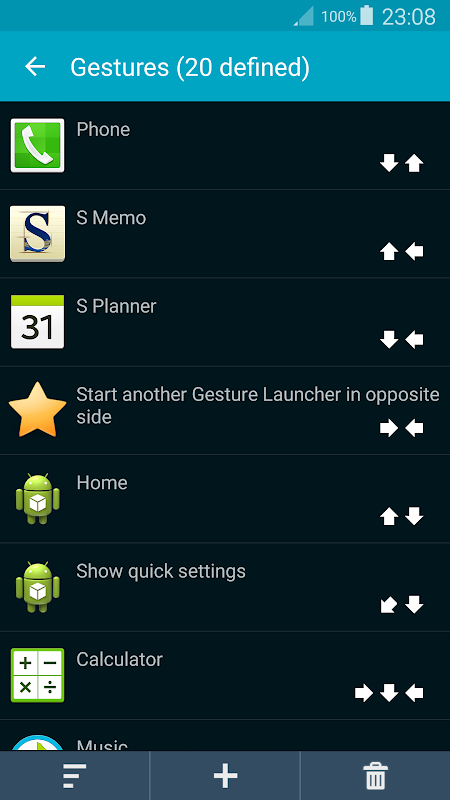
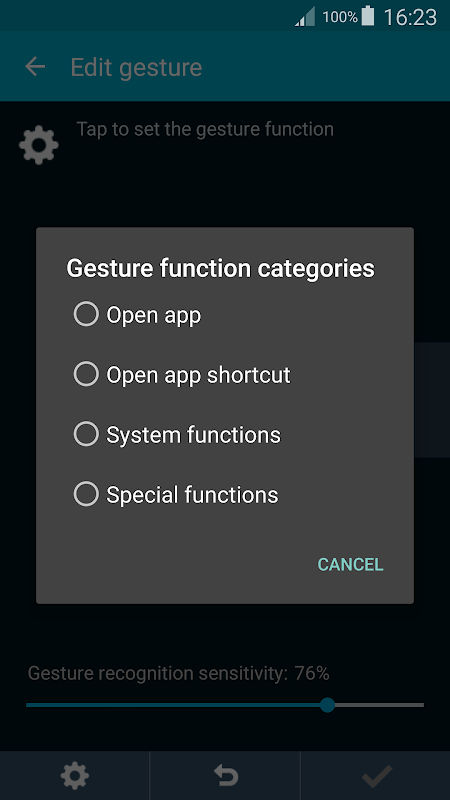
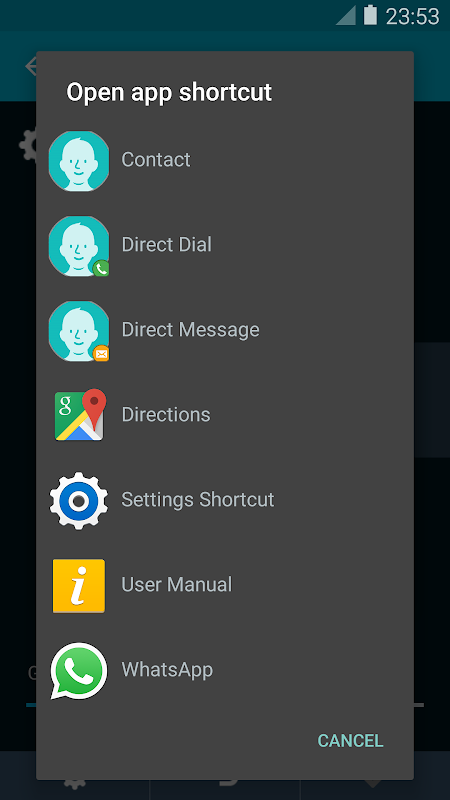
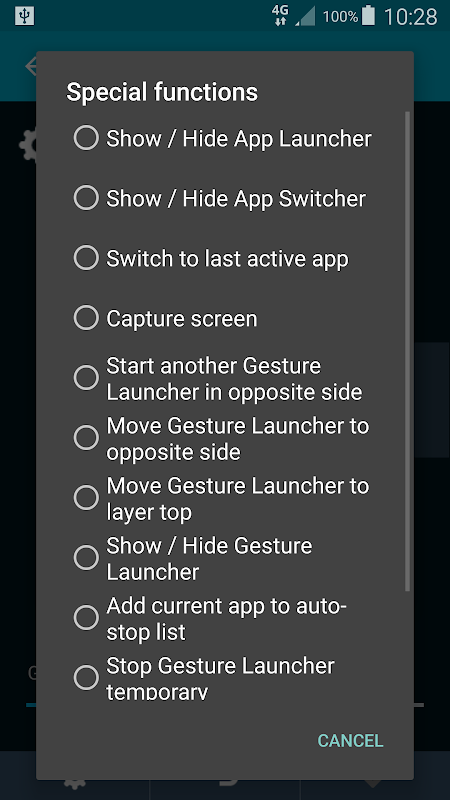
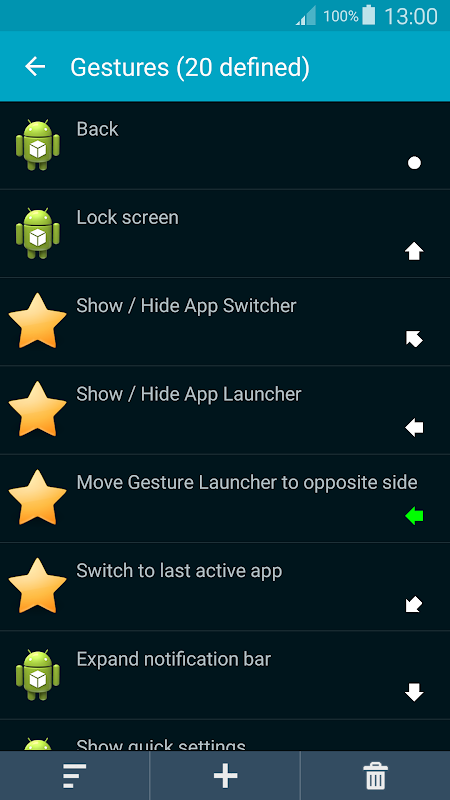
Unlimited no. of custom multi-swipes gestures (single tap supported). Use gesture to open apps, app shortcuts (e.g. Contacts + someone), perform System functions (Back, Home, Lock screen, ...) and Special functions (open built-in App Launcher, App Switcher, Capture screen,...). This app uses Accessibility services to provide functions such as Back. This app uses the Device Administrator permission to lock the device.
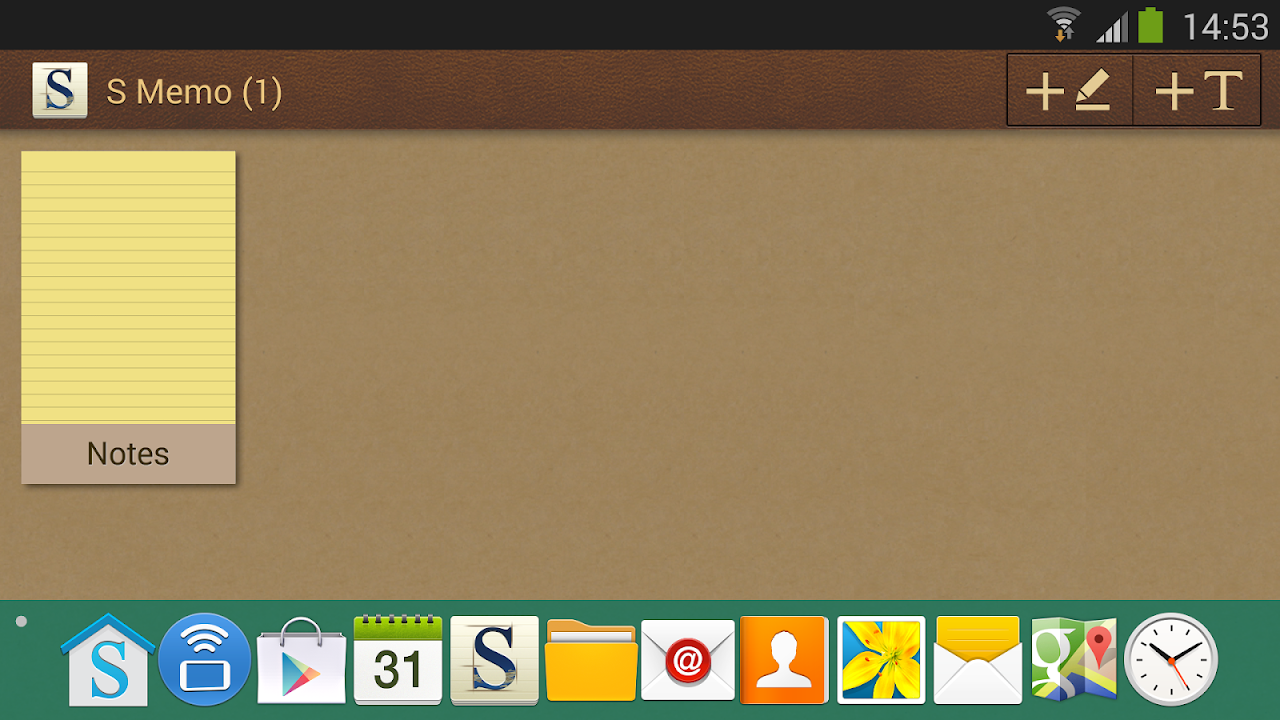
Built-in popup multi-pages App Launcher, can launch apps, app shortcuts, and some of System and Special functions.
Built-in popup App Switcher, likes Taskbar on Windows, shows currently running apps, it's movable and pinnable, supports up to Android 9.
Switch to last active app, likes Alt+Tab on Windows, switches between two most recent running apps (exclude those closed), supports up to Android 9.
Capture screen, supports JPEG output file format which speeds up the process and makes the file size much smaller.
Safe to use. This app requires minimal set of permissions, and does not require Internet access permission, which ensures no information on your device is sent out by the app.
Android 9 ready. The app has been tested with the developer release of Android 9.
TIPS for users using on-screen navigation buttons. You don't need it when using this app. Follow the steps below to auto-hide it, and free its space. Swipe up from the bottom to show it again. Some devices such as S8, S8+, Note 8, V20 and V30 can be done via Settings app.
1. Enable "Developer options" of your device: Settings > About phone > Tap "Build number" 7 times.
2. Settings > Developer options > select "USB debugging".
3. On a computer, open a web browser and download Platform Tools (~7.2 MB) from Google:
https://dl.google.com/android/repository/platform-tools-latest-windows.zip
4. Open download folder, right-click on the downloaded file and select "Extract all" and press the "Extract" button.
5. Open a Command Prompt, and type the line below and press Enter
cd Downloads\platform-tools-latest-windows\platform-tools
6. Type the approximate command below and press Enter.
To hide bottom navigation bar:
adb shell settings put global policy_control immersive.navigation=*
To show bottom navigation bar:
adb shell settings put global policy_control immersive.navigation=null
To hide top status bar:
adb shell settings put global policy_control immersive.status=*
To show top status bar:
adb shell settings put global policy_control immersive.status=null
For the App Launcher to use the extra space, please clear this app's data or uninstall and install it again.
بلا حدود إيماءات الضربات الشديدة المخصصة (بنقرة واحدة مدعومة) . استخدم الإيماءة لفتح التطبيقات ، واختصارات التطبيقات (مثل جهات الاتصال + شخص ما) ، وأداء وظائف النظام (رجوع ، الصفحة الرئيسية ، قفل الشاشة ، ...) والوظائف الخاصة (فتح مشغل التطبيقات المدمج ، تطبيق تبديل التطبيقات ، شاشة التقاط ، ... ). يستخدم هذا التطبيق خدمات إمكانية الوصول لتوفير وظائف مثل السابق. يستخدم هذا التطبيق إذن "مسؤول الجهاز" لقفل الجهاز.
مشغل التطبيقات المنبثق متعدد الصفحات المنبثق ، يمكنه تشغيل التطبيقات واختصارات التطبيقات وبعض وظائف النظام والخاصة.
تطبيق App-Switcher المدمج المنبثق ، ويحب شريط المهام على Windows ، يعرض التطبيقات قيد التشغيل حاليًا ، وهو قابل للنقل وقابل للدعم ، ويدعم ما يصل إلى Android 9.
قم بالتبديل إلى آخر تطبيق نشط ، مثل Alt + Tab على Windows ، ويقوم بالتبديل بين أحدث تطبيقين قيد التشغيل (باستثناء التطبيقات المغلقة) ، ويدعم حتى Android 9.
شاشة الالتقاط ، تدعم تنسيق ملف الإخراج JPEG الذي يسرع العملية ويجعل حجم الملف أصغر بكثير.
آمن للاستخدام . يتطلب هذا التطبيق مجموعة صغيرة من الأذونات ، ولا يتطلب إذنًا للوصول إلى الإنترنت ، مما يضمن عدم إرسال أي معلومات على جهازك بواسطة التطبيق.
Android 9 جاهز . تم اختبار التطبيق من خلال إصدار مطور Android 9.
نصائح للمستخدمين الذين يستخدمون أزرار التنقل على الشاشة . لا تحتاجها عند استخدام هذا التطبيق. اتبع الخطوات الموضحة أدناه لإخفائها تلقائيًا وتحرير مساحتها. اسحب لأعلى من أسفل لإظهارها مرة أخرى. يمكن إجراء بعض الأجهزة مثل S8 و S8 + و Note 8 و V20 و V30 عبر تطبيق الإعدادات.
1. قم بتمكين "خيارات المطور" في جهازك: الإعدادات> حول الهاتف> اضغط على "إنشاء رقم" 7 مرات.
2. الإعدادات> خيارات المطور> حدد "تصحيح أخطاء USB".
3. على جهاز الكمبيوتر ، افتح متصفح ويب وقم بتنزيل أدوات النظام الأساسي (حوالي 7.2 ميغابايت) من Google:
https://dl.google.com/android/repository/platform-tools-latest-windows.zip
4. افتح مجلد التنزيل ، وانقر بزر الماوس الأيمن على الملف الذي تم تنزيله وحدد "استخراج الكل" واضغط على الزر "استخراج".
5. افتح موجه الأوامر ، واكتب السطر أدناه ثم اضغط على Enter
مؤتمر نزع السلاح التنزيلات \ منصة-أدوات-أحدث-النوافذ \ أدوات منصة
6. اكتب الأمر التقريبي أدناه واضغط مفتاح الإدخال (Enter).
لإخفاء شريط التنقل السفلي:
وضع إعدادات بنك التنمية الآسيوي قذيفة السياسة العالمية_تحكم غامرة. الملاحة = *
لإظهار شريط التنقل السفلي:
وضع إعدادات adb shell على policy_control global immersive.navigation = null
لإخفاء شريط الحالة العلوي:
وضع إعدادات adb shell على policy_control Global immunive.status = *
لإظهار شريط الحالة العلوي:
وضع إعدادات adb shell على policy_control global immersive.status = لاغٍ
لكي يستخدم مشغل التطبيقات المساحة الإضافية ، يرجى مسح بيانات هذا التطبيق أو إلغاء تثبيته وتثبيته مرة أخرى.
Unlimited no. of custom multi-swipes gestures (single tap supported). Use gesture to open apps, app shortcuts (e.g. Contacts + someone), perform System functions (Back, Home, Lock screen, ...) and Special functions (open built-in App Launcher, App Switcher, Capture screen,...). This app uses Accessibility services to provide functions such as Back. This app uses the Device Administrator permission to lock the device.
Built-in popup multi-pages App Launcher, can launch apps, app shortcuts, and some of System and Special functions.
Built-in popup App Switcher, likes Taskbar on Windows, shows currently running apps, it's movable and pinnable, supports up to Android 9.
Switch to last active app, likes Alt+Tab on Windows, switches between two most recent running apps (exclude those closed), supports up to Android 9.
Capture screen, supports JPEG output file format which speeds up the process and makes the file size much smaller.
Safe to use. This app requires minimal set of permissions, and does not require Internet access permission, which ensures no information on your device is sent out by the app.
Android 9 ready. The app has been tested with the developer release of Android 9.
TIPS for users using on-screen navigation buttons. You don't need it when using this app. Follow the steps below to auto-hide it, and free its space. Swipe up from the bottom to show it again. Some devices such as S8, S8+, Note 8, V20 and V30 can be done via Settings app.
1. Enable "Developer options" of your device: Settings > About phone > Tap "Build number" 7 times.
2. Settings > Developer options > select "USB debugging".
3. On a computer, open a web browser and download Platform Tools (~7.2 MB) from Google:
https://dl.google.com/android/repository/platform-tools-latest-windows.zip
4. Open download folder, right-click on the downloaded file and select "Extract all" and press the "Extract" button.
5. Open a Command Prompt, and type the line below and press Enter
cd Downloads\platform-tools-latest-windows\platform-tools
6. Type the approximate command below and press Enter.
To hide bottom navigation bar:
adb shell settings put global policy_control immersive.navigation=*
To show bottom navigation bar:
adb shell settings put global policy_control immersive.navigation=null
To hide top status bar:
adb shell settings put global policy_control immersive.status=*
To show top status bar:
adb shell settings put global policy_control immersive.status=null
For the App Launcher to use the extra space, please clear this app's data or uninstall and install it again.
معلومات إضافية
تاريخ التحديث
2020-03-24الإصدار
3.3الحجم
366.82 كيلوبايتالمطور
ACTIVE SOFTsupport2@activesofthk.com
تصنيف المحتوى
Everyoneالحزمة
com.activesofthk.backbutton2التوقيع (MD5)
0f6f01b310941caaf4e5e2210bb909a6