5.0
٨٠١تنزيل
1.39 ميجابايتالحجم
موقّع وموثوق
لقطات الشاشة
عن التطبيق
An easy way to run terminal commands without a terminal emulator.
Terminal Toolbox requires root access for all of its functions. If you don't know what root is then this app is not for you.
For now there are no in-app purchases or ads found through this app.
Toolbox Features
Custom Command: May be accessed using button in lower right corner.
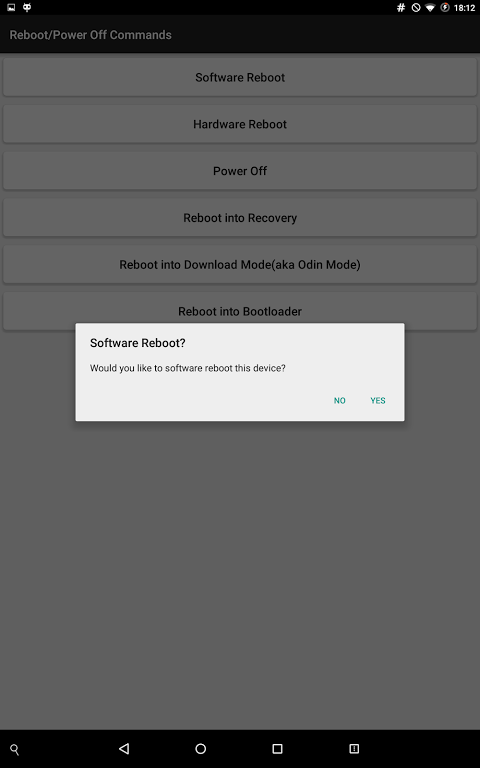
Rebooting/Powering Off a device
Software Reboot
Hardware Reboot
Power Off
Reboot into Recovery
Reboot into Bootloader
Network Tools
Ping hosts
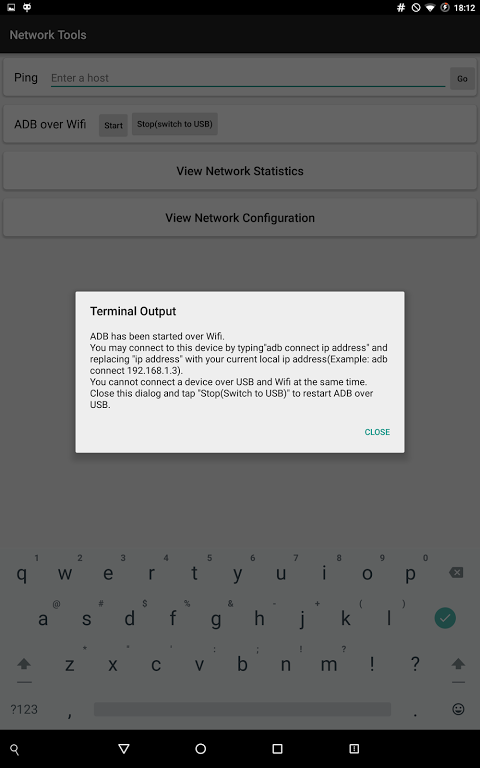
Start ADB over Wifi
View Network Statistics
View Network Configuration
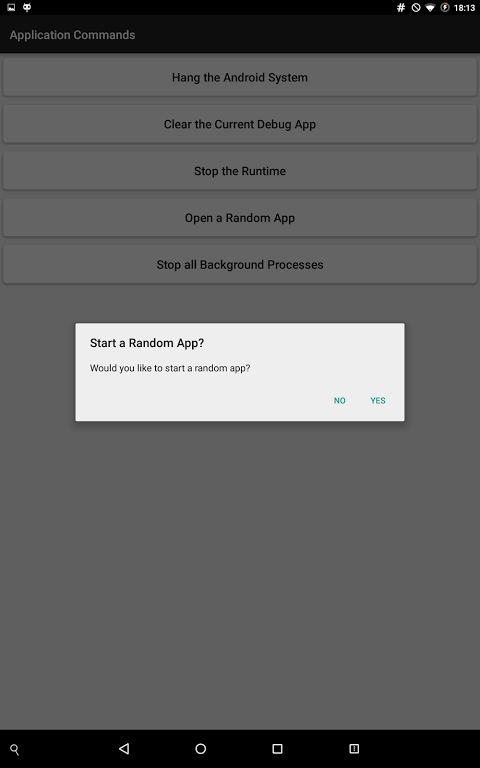
Application Commands
Hang the Android System
Stop the Runtime
Open a Random App
System Information
View Device Uptime
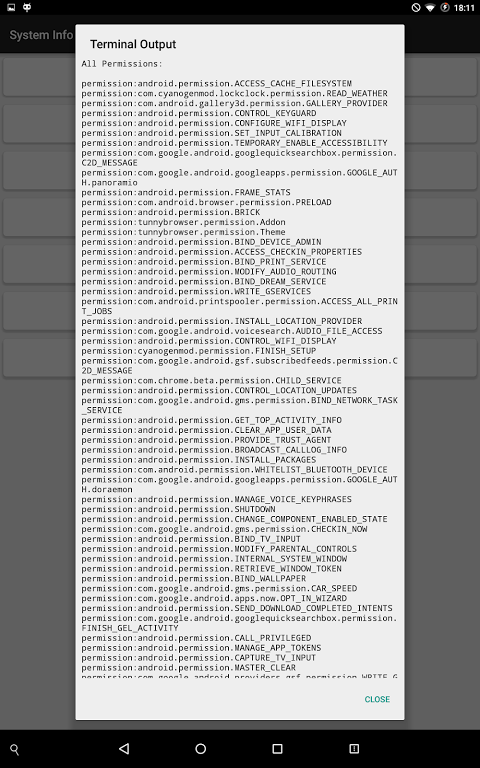
View System/App Permissions
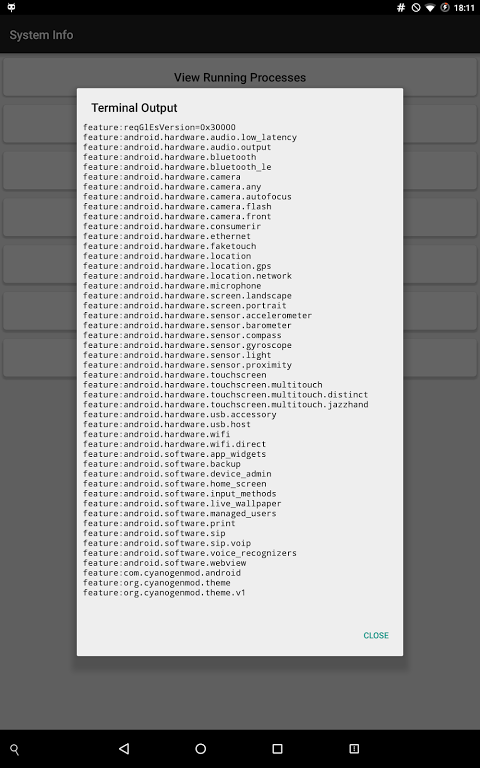
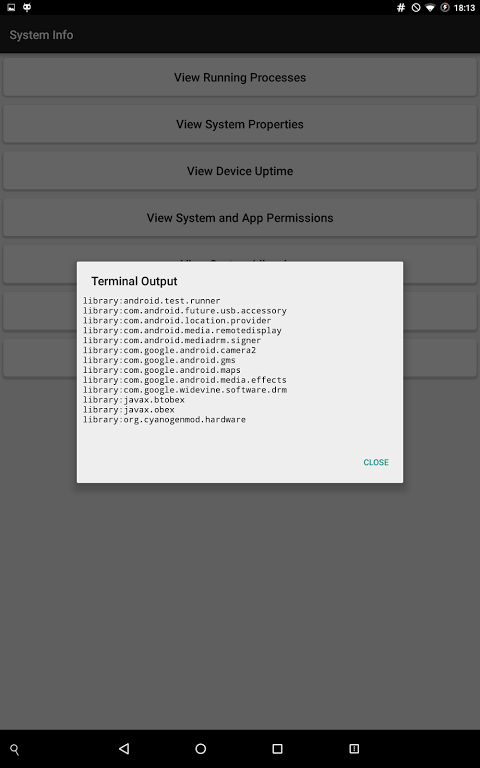
View System Libraries
View System Features
View System Users
Display Controls
Set the Density to a Value from 120 DPI to 720 DPI
Reset the Density to its System Default
Set The resolution to a Value from 540x960 to 1600x2560
Reset the Screen Resolution to its System Default
Support: If you need any help understanding what a command does or need any other help please email me from the email button on Google Play(below).
If you get into a bootloop because of a changed density or resolution then you may use the command"adb shell wm reset density" to reset the density and "adb shell wm reset size" to reset the resolution. As long as USB debugging is on and your device is plugged into a computer with ADB installed these commands should work while the device is bootlooping.
</div> <div jsname="WJz9Hc" style="display:none">طريقة سهلة لتشغيل الأوامر النهائية دون محطة المحاكي.
محطة أدوات يتطلب الوصول إلى جذر لجميع وظائفه. إذا كنت لا تعرف ما هو الجذر ثم هذا التطبيق ليست لك.
في الوقت الحالي لا توجد عمليات الشراء في التطبيق أو إعلانات وجدت من خلال هذا التطبيق.
الأدوات الميزات
قيادة مخصص: قد يمكن الوصول إليها باستخدام زر في الزاوية اليمنى السفلى.
إعادة تشغيل / إيقاف المحرك جهاز
إعادة تشغيل البرمجيات
إعادة تشغيل الأجهزة
ايقاف التشغيل
إعادة التشغيل في الإنعاش
إعادة التشغيل في بووتلوأدر
أدوات الشبكة
تستضيف بينغ
بدء ADB على واي فاي
مشاهدة احصائيات الشبكة
عرض تكوين شبكة
أوامر التطبيق
يتعطل نظام أندرويد
وقف وقت التشغيل
فتح التطبيقات عشوائية
معلومات النظام
عرض الجهوزية جهاز
عرض / نظام ضوابط التطبيقات
المكتبات رأي النظام
ملامح النظام نظرا
عرض المستخدمين النظام
عرض الضوابط
تعيين الكثافة إلى القيمة من 120 DPI إلى 720 DPI
إعادة تعيين الكثافة لنظامها افتراضي
تعيين دقة لقيمة من 540x960 إلى 1600x2560
إعادة تعيين دقة الشاشة إلى نظامها افتراضي
الدعم: إذا كنت بحاجة إلى أي مساعدة في فهم ما يفعله أمر أو بحاجة إلى أي مساعدة أخرى، يرجى البريد الالكتروني لي من زر البريد الإلكتروني على اللعب جوجل (أدناه).
اذا كان لديك إلى bootloop بسبب الكثافة المتغيرة أو قرار ثم يمكنك استخدام الأمر "بنك التنمية الاسيوى قذيفة وات كثافة إعادة تعيين" لإعادة الكثافة و "بنك التنمية الاسيوى قذيفة وات حجم إعادة تعيين" لإعادة القرار. طالما USB التصحيح على وتوصيل الجهاز إلى جهاز كمبيوتر مع تثبيت ADB أن هذه الأوامر العمل في حين أن الجهاز bootlooping.</div> <div class="show-more-end">
معلومات إضافية
تاريخ التحديث
2020-11-15الإصدار
2.1الحجم
1.39 ميجابايتالمطور
AlMuntmunt.alexandru@gmail.com
تصنيف المحتوى
Everyoneالحزمة
com.almunt.terminaltoolboxالتوقيع (MD5)
feb80ba0dcb71dc4d39c1b0909ad2e4f