Dynamic Komponents for KLWP
0.0
١٠ ألفتنزيل
3.16 ميجابايتالحجم
موقّع وموثوق
لقطات الشاشة
عن التطبيق
<b><u><i>YOU NEED TO HAVE THE PRO VERSION OF KUSTOM KLWP INSTALLED ON YOUR PHONE TO USE THESE KOMPONENTS - https://goo.gl/UkHJ99 </i></u></b>
<b><u><i>KOMPONENTS CAN ALSO BE LOADED INTO A KUSTOM KWGT WIDGET - https://goo.gl/ABJVXq </i></u></b>
A pack of 6 actual komponents.....Status Bar, Status Icon Toggle, Progress Bar, Icon and Toggles.....but each komponent has a number of choices
Load one of the komponents, tap on it, tap on the Globals Tab and select a Type and/or Style
<b>FEATURES</b>
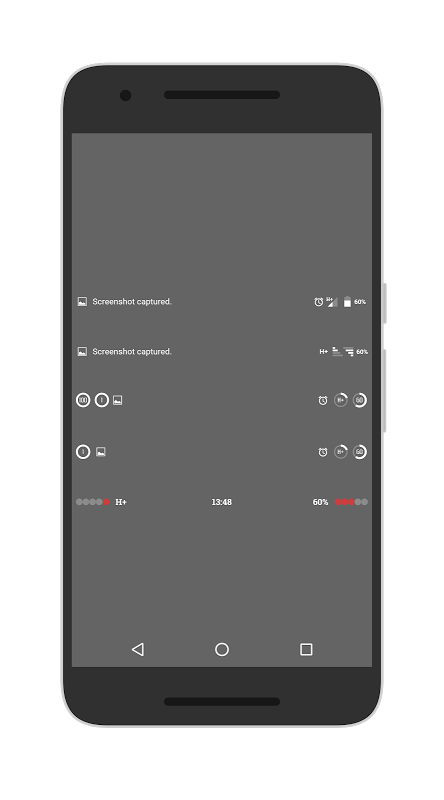
Status Bar - 5 Styles
- Types 1 & 2 have unread counts for calls, sms and Gmail
- Types 1 - 4 will show notification icon and text.....tap to dismiss
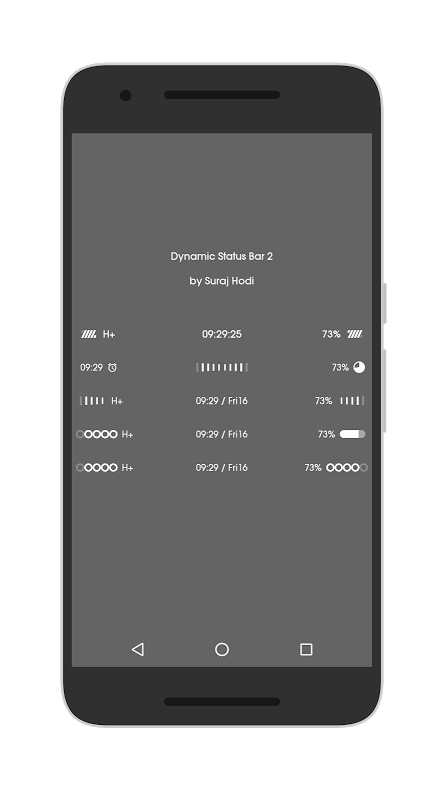
Status Bar 2 - 5 Styles
- Data/WiFi signal, Battery Level, date/time
- Created by Suraj Hodi - https://plus.google.com/+SurajHodi/posts/GZcx5FDhqA2
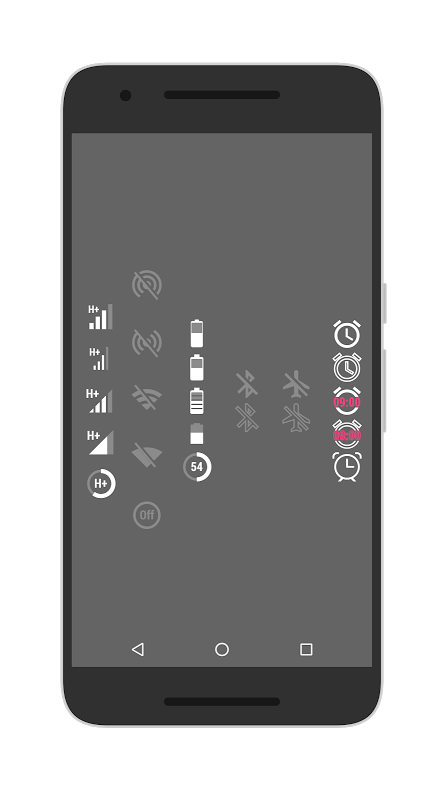
Status Icon Toggle - 6 Types (Data, WiFi, Battery, Bluetooth, Airplane Mode & Alarm) with 5 styles each (Apart from BT, AP Mode & Alarm)
- Data & WiFi icons will show current signal level
- Tapping the icon will switch on/off or open the reletive function/app
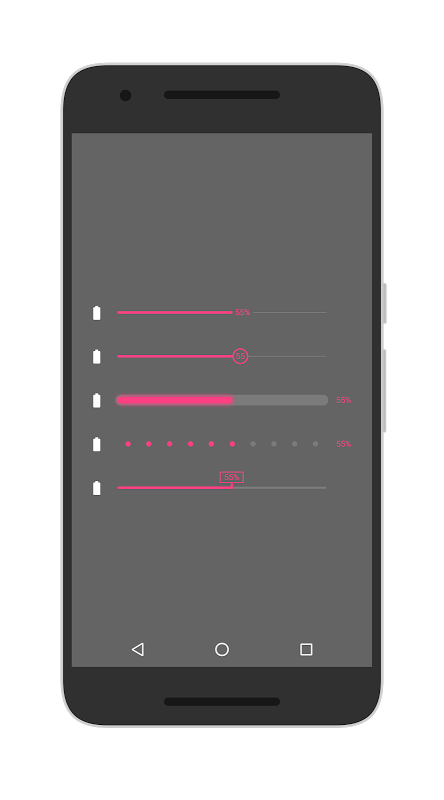
Progress Bar - 6 Types (Battery, Into Storage, Ext Storage, RAM, Music & Volume) with 5 styles each
- Global to toggle icon on/off
Icon Pack - 11 background styles
- Choose a built in style and then a built in colour or select 'Manual' in the colour list and choose your own from below
Toggles - 5 Types (Data, WiFi, Bluetooth, Airplane Mode & Alarm) with 5 styles each
- Tapping the toggle will switch on/off or open the reletive function/app
<b>Check out the video for a brief overlook</b> - https://youtu.be/XVCrox7hOhw
<b>ADDING KOMPONENTS TO YOUR KLWP WALLPAPER</b>
- Open KLWP app
- Tap + icon and select Komponent
- Tap the 'Installed' tab
- Select 'Dynamic Komponents' from the list
- Select which dynamic komp you wish to use
- Tap the save icon
- Return to homescreen
<b>ADDING KOMPONENTS TO YOUR KWGT WIDGET</b>
- Long press homescreen and drag a KWGT to it
- Tap on the Widget to open the KWGT app
- Create a new widget, or open a downloaded/exported preset
- Tap the 'Installed' tab
- Select 'Dynamic Komponents' from the list
- Select which dynamic komp you wish to use
- Tap the save icon
- Return to homescreen
Huge thanks to Suraj Hodi for creating and sharing the 5 awesome new status bars - Circle him for more of his great KWGT widgets - https://plus.google.com/+SurajHodi
If you have any problems, please email instead of leaving 1* reviews
Enjoy & Thankyou
Circle me on Google+ for more Bacon - http://goo.gl/BqSybX</br></br></br></br></br></br></br></br></br></br></br></br></br></br></br></br></br></br></br></br></br></br></br></br></br></br></br></br></br></br></br></br></br></br></br></br></br></br></br></br></br></br></br></br></br></br></br></br></br></br></br></br></br></br></br></br></br></br></br></br></br></br></br></br></br></br></br>
معلومات إضافية
تاريخ التحديث
2021-11-12الإصدار
2.1الحجم
3.16 ميجابايتالمطور
BaconBitsbaconbitsdev@gmail.com
تصنيف المحتوى
Everyoneالحزمة
com.baconbits.dynamic.klwpالتوقيع (MD5)
2d0b4e5475192f3e9a440df75cfacd77