Favorite Contacts PRO
0.0
١٠٠تنزيل
6.01 ميجابايتالحجم
موقّع وموثوق
لقطات الشاشة
عن التطبيق
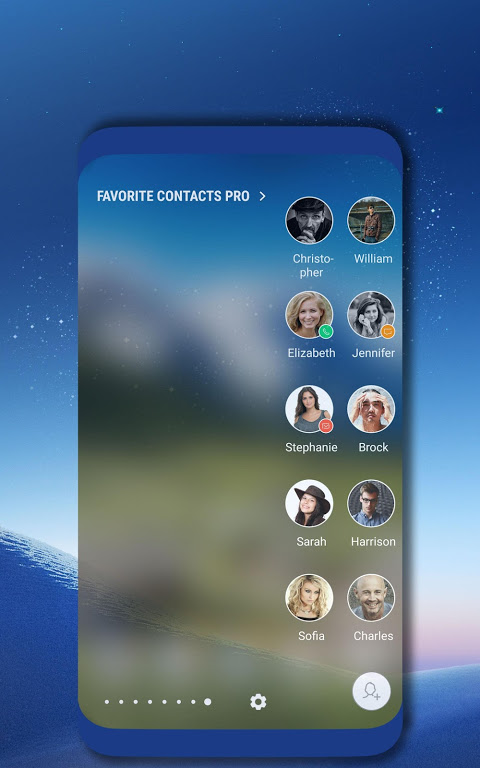
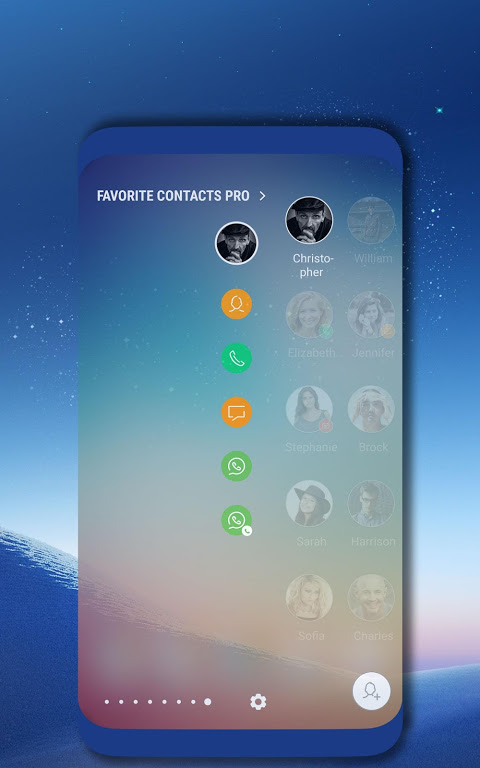
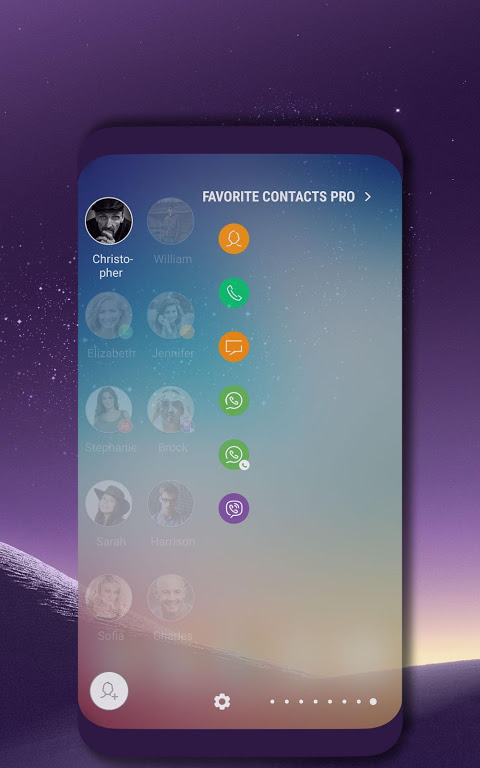
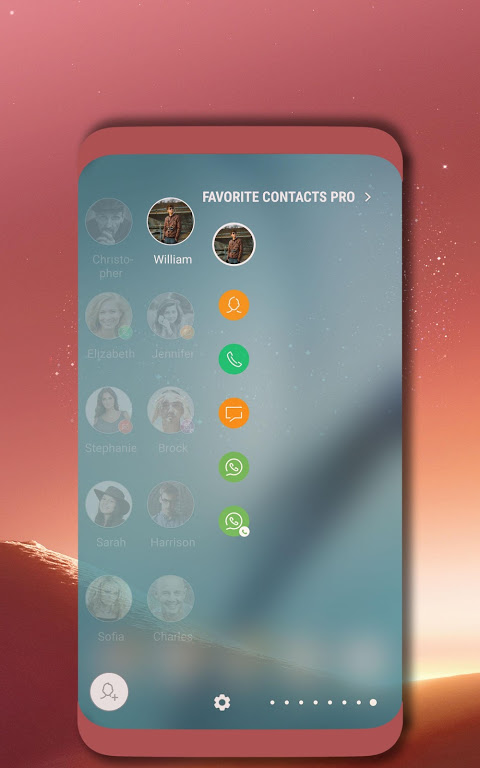
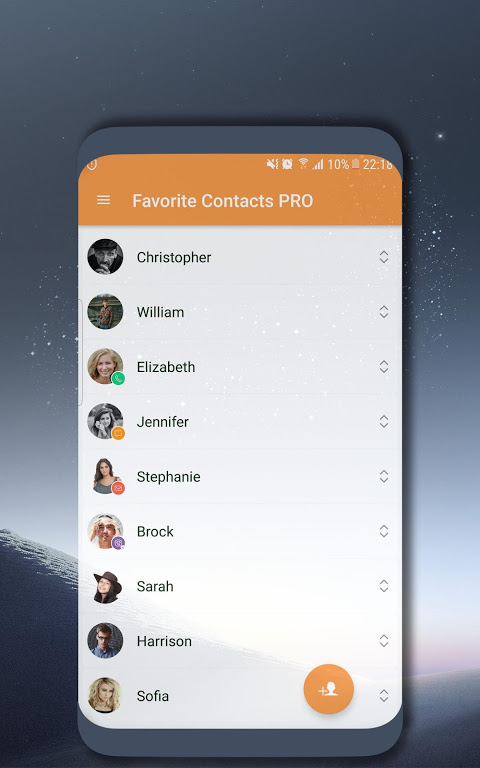
A quick way to Call, send SMS/Email, text/voice call/video call Skype, Whatsapps, Viber, Telegeram to your favorite contacts on Edge Panel.
*** Supported devices :
- All of devices have Edge Screen such as Note 10, S10+, S10, S10e, Note 9, S9, S9+, Note 8, S8, S8+, Note FE, Note 7, S7 Edge, S6 Edge, S6 Edge Plus...
*** Features:
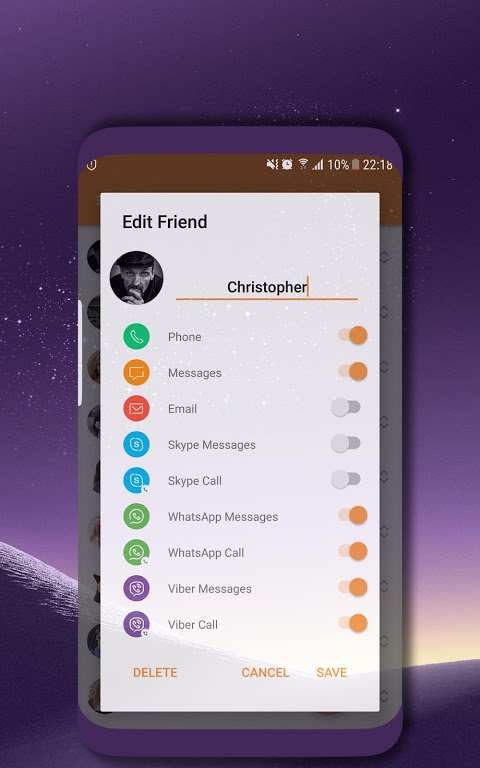
- Manage your friend contacts easily
- Quickly to make a call, send SMS/email, text/voice call/video call Skype, WhatsApp, Viber, Telegeram
- Use keypad in panel
- Access call logs quickly
- Many options for custom panel
...
*** How to use:
- Setting -> Edge Screen -> Edge Panels -> Check Favorite Contacts PRO.
- From the home screen or the lock screen, swipe from either edge of the display to bring up a menu of multi-tasking Edge features. Select Favorite Contacts PRO.
- After update new version: Setting -> Edge Screen -> Edge Panels -> uncheck Favorite Contacts PRO-> Press "Back" button. Then check again.
Let's comment and review your opinions, we always listen and improve to provide a best application.
Any contributions, please send to email: edgemaster500@gmail.com
Thanks and Best regards,
Edge Master.
طريقة سريعة للاتصال ، وإرسال الرسائل القصيرة / البريد الإلكتروني ، والمكالمات النصية / الصوتية / مكالمة الفيديو Skype و Whatsapps و Viber و Telegeram إلى جهات الاتصال المفضلة لديك على Edge Panel.
*** اجهزة مدعومة :
- تحتوي جميع الأجهزة على شاشة Edge مثل Note 10 و S10 + و S10 و S10e و Note 9 و S9 و S9 + و Note 8 و S8 و S8 + و Note FE و Note 7 و S7 Edge و S6 Edge و S6 Edge Plus ...
*** المميزات:
- إدارة جهات اتصال صديقك بسهولة
- بسرعة لإجراء مكالمة ، وإرسال الرسائل القصيرة / البريد الإلكتروني ، مكالمة نصية / صوتية / مكالمة فيديو سكايب ، WhatsApp ، فايبر ، Telegeram
- استخدم لوحة المفاتيح في لوحة
- سجلات المكالمات الوصول بسرعة
- العديد من الخيارات للوحة مخصصة
...
*** كيف تستعمل:
- إعداد -> حافة الشاشة -> لوحات حافة -> تحقق المفضلة جهات الاتصال للمحترفين.
- من الشاشة الرئيسية أو شاشة القفل ، اسحب من حافة الشاشة لإظهار قائمة بميزات Edge متعددة المهام. اختر جهات الاتصال المفضلة PRO.
- بعد تحديث الإصدار الجديد: إعداد -> حافة الشاشة -> لوحات حافة -> إلغاء تحديد جهات الاتصال المفضلة PRO>> اضغط على زر "رجوع". ثم تحقق مرة أخرى.
دعونا نعلق على آرائك ونراجعها ، فنحن دائمًا ما نستمع ونحسن تقديم أفضل تطبيق.
أي مساهمات ، يرجى إرسالها إلى البريد الإلكتروني: edgemaster500@gmail.com
شكرا مع اطيب التحيات،
حافة ماستر.
A quick way to Call, send SMS/Email, text/voice call/video call Skype, Whatsapps, Viber, Telegeram to your favorite contacts on Edge Panel.
*** Supported devices :
- All of devices have Edge Screen such as Note 10, S10+, S10, S10e, Note 9, S9, S9+, Note 8, S8, S8+, Note FE, Note 7, S7 Edge, S6 Edge, S6 Edge Plus...
*** Features:
- Manage your friend contacts easily
- Quickly to make a call, send SMS/email, text/voice call/video call Skype, WhatsApp, Viber, Telegeram
- Use keypad in panel
- Access call logs quickly
- Many options for custom panel
...
*** How to use:
- Setting -> Edge Screen -> Edge Panels -> Check Favorite Contacts PRO.
- From the home screen or the lock screen, swipe from either edge of the display to bring up a menu of multi-tasking Edge features. Select Favorite Contacts PRO.
- After update new version: Setting -> Edge Screen -> Edge Panels -> uncheck Favorite Contacts PRO-> Press "Back" button. Then check again.
Let's comment and review your opinions, we always listen and improve to provide a best application.
Any contributions, please send to email: edgemaster500@gmail.com
Thanks and Best regards,
Edge Master.
معلومات إضافية
تاريخ التحديث
2019-12-14الإصدار
1.7الحجم
6.01 ميجابايتالمطور
Edge Masteredgemaster500@gmail.com
تصنيف المحتوى
Everyoneالحزمة
com.ehzstudios.quickcontacts7panelproالتوقيع (MD5)
7e1b8e3ce09e8360ec55f14416fb871d