0.0
١٠٠ ألفتنزيل
3.18 ميجابايتالحجم
لقطات الشاشة
عن التطبيق
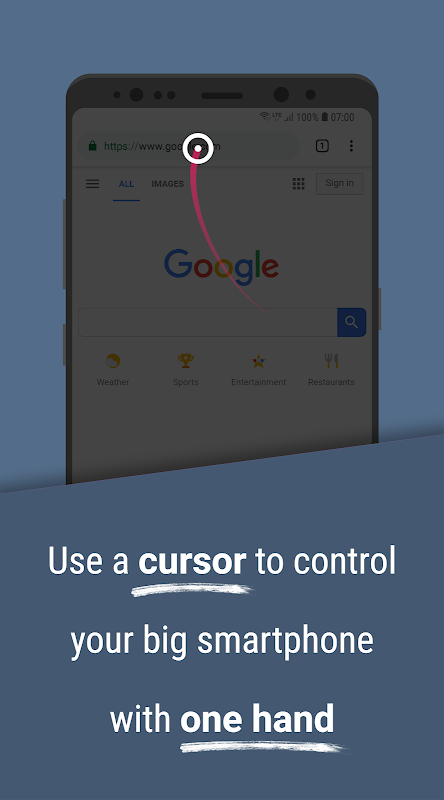
Use a computer-mouse-like cursor/pointer to control big smartphones like the Note series effortlessly with one hand. The perfect app for power users that make extensive use of swipe gestures for navigation and glide typing keyboards.
Easy to use:
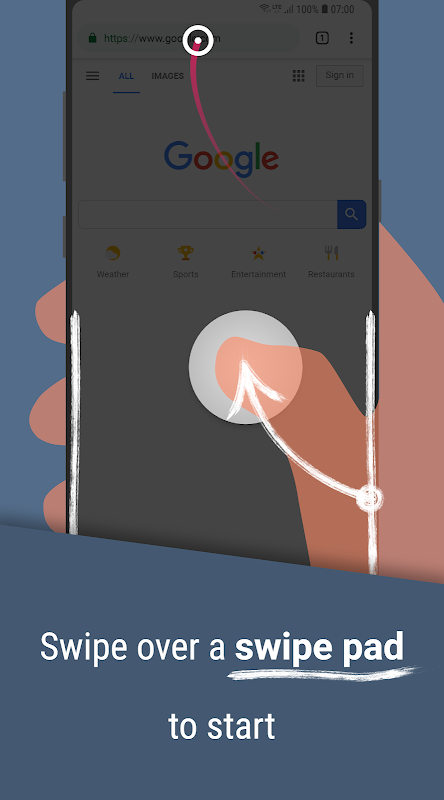
Swipe over a screen edge to start Reachability Cursor. If you hold your phone with your right hand, use the right
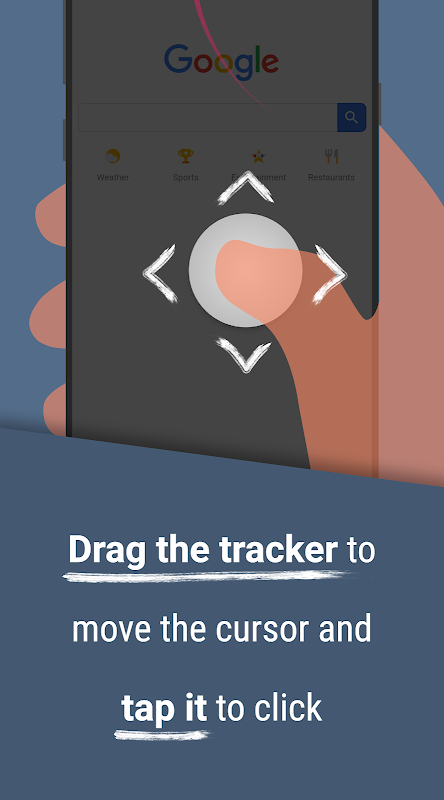
screen edge. Drag the tracker to move the cursor and tap it to click. The cursor disappears automatically when you
don’t need it anymore.
You can use the core app for free without any ads!
Or purchase the PRO version when you need the advanced features:
• Customize the appearance & behavior of almost everything
• Adjust the cursor & tracker area according to your needs
• Edge actions for Notifications Overview, Quick Settings etc.
• An Advanced Mode that supports drag gestures with the cursor
• Execute long clicks with the cursor
• Support future development
Accessibility Service
Reachability Cursor requires you to enable its Accessibility Service before you can use it. This app uses this service
only to enable its functionality. It needs the following permissions:
○ Observe your actions
• is needed for the app blacklist feature
○ Retrieve window content
• is needed for a seamless Swipe Pads integration
○ Perform gestures
• is only used to perform clicks and gestures with the cursor
The usage of this API will always remain transparent and it will NEVER be used to collect personal or sensible data!
استخدم مؤشرًا / مؤشرًا يشبه الماوس على الكمبيوتر للتحكم في الهواتف الذكية الضخمة مثل سلسلة الملاحظات دون عناء بيد واحدة. التطبيق المثالي لمستخدمي الطاقة الذين يستخدمون بشكل مكثف إيماءات التمرير للتنقل ولوحة مفاتيح الكتابة.
سهل الاستخدام:
انتقد على حافة الشاشة لبدء مؤشر Reachability. إذا كنت تمسك هاتفك بيدك اليمنى ، فاستخدم الحق
حافة الشاشة. اسحب المتتبع لتحريك المؤشر واضغط عليه للنقر. يختفي المؤشر تلقائيًا عندما تقوم
لا تحتاج بعد الآن.
يمكنك استخدام التطبيق الأساسي مجانًا بدون أي إعلانات!
أو شراء نسخة PRO عندما تحتاج إلى الميزات المتقدمة:
• تخصيص مظهر وسلوك كل شيء تقريبا
• ضبط منطقة المؤشر وتتبع وفقا لاحتياجاتك
• إجراءات الحافة للنظرة العامة للإشعارات ، الإعدادات السريعة إلخ.
• وضع متقدم يدعم إيماءات السحب مع المؤشر
• تنفيذ نقرات طويلة مع المؤشر
• دعم التنمية المستقبلية
خدمة إمكانية الوصول
يتطلب منك Reachability Cursor تمكين خدمة إمكانية الوصول قبل أن تتمكن من استخدامها. يستخدم هذا التطبيق هذه الخدمة
فقط لتمكين وظائفه. يحتاج الأذونات التالية:
○ مراقبة أفعالك
• هناك حاجة لميزة القائمة السوداء التطبيق
○ استرداد محتوى النافذة
• مطلوب لدمج Swipe Pads
○ أداء الإيماءات
• يُستخدم فقط لإجراء النقرات والإيماءات باستخدام المؤشر
سيظل استخدام واجهة برمجة التطبيقات هذه شفافًا دائمًا ولن يتم استخدامه مطلقًا لجمع بيانات شخصية أو معقولة!
معلومات إضافية
تاريخ التحديث
2020-12-12الإصدار
1.1.2الحجم
3.18 ميجابايتالمطور
تصنيف المحتوى
Everyoneالحزمة
com.niftyui.reachabilityالتوقيع (MD5)
7dca4c5adde79780e2ed535f538a19d5