Little Crane World Editor
3.5
٤٠ ألفتنزيل
639.92 كيلوبايتالحجم
موقّع وموثوق
لقطات الشاشة
عن التطبيق
This is the companion app to 'The Little Crane That Could'.
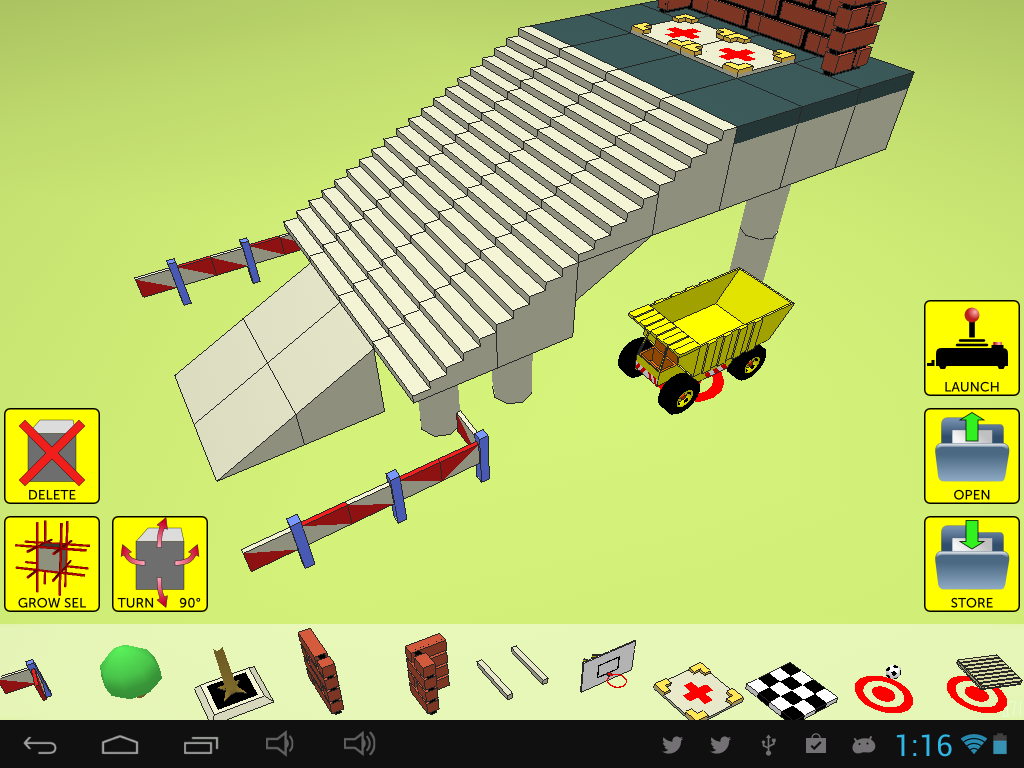
With this editor, you are able to design and build your own levels.
Building a level is easy and fun for all ages.
Just snap different building blocks together.
The game itself is free and available here:
https://play.google.com/store/apps/details?id=com.steenriver.littlecrane
IMPORTANT NEWS
The launching of user designed levels in the game was broken for a very long time.
I deeply apologize for this horrible bug.
I have uploaded a new version of the game (not the editor) which will fix the launching.
Thank you for your patience.
CAMERA
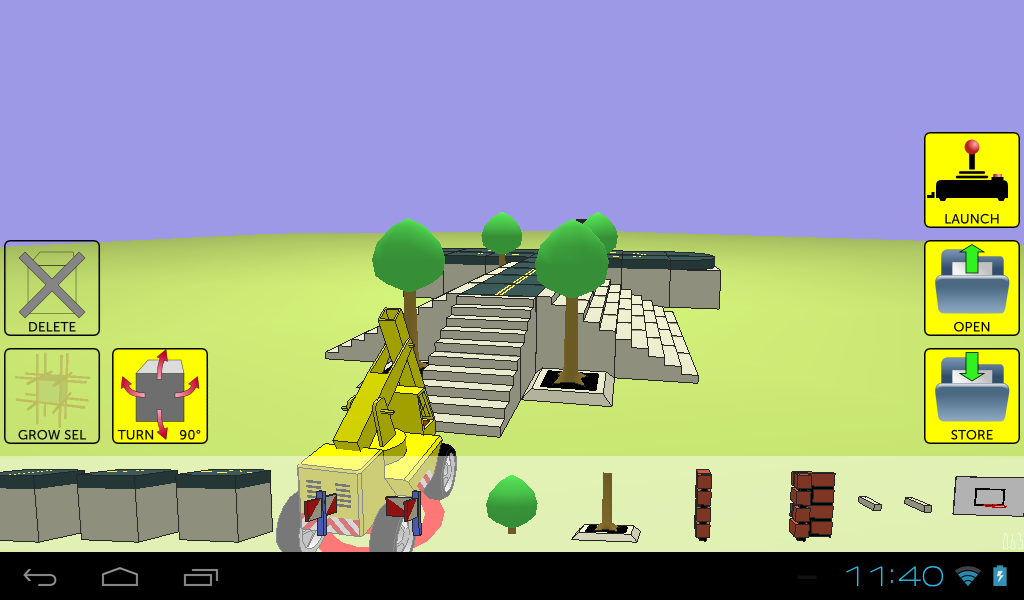
Swipe the main view to control the camera. Horizontal swipes will make the camera orbit, and vertical swipes will control camera elevation. Use pinch to zoom in and out. To focus the camera on a specific block, tap and hold the block to select it.
BUILDING
To build up your world, you first select the block you want to add in the library strip at the bottom of the screen. Then you simply need to tap on one of the 6 faces of an existing block that is already in the world. The new block will be attached to the selected face. Once a new block is placed, it will automatically be selected, and you can delete it by tapping the DELETE icon. To select another block, simply tap and hold it.
ORIENTATION
You can change the orientation of a selected block by swiping on the TURN icon. You can turn it on the vertical axis by swiping horizontally, or turn it on the horizontal axis by swiping vertically. If none of the blocks are selected, you can predetermine the orientation of the next new block.
DYNAMIC OBJECTS
At the tail end of the block library, there is a special set of objects that are marked with a red dot in circle. These objects are dynamic objects, which means that they can be moved in the game. If you place these blocks in your world, they will function as so called spawn-points for the object. You cannot change the orientation of dynamic objects spawn points. You must put one, and only one vehicle in your world. Currently, the world editor does not support multiple vehicles in a single level. Also, there is a limit on the number of blocks you can use to build your world, which is currently set at 1024 blocks.
GAME OBJECTIVES
The are several ways in which you can set the win-conditions for your level. You can place a black and white chequered floor: if the vehicle parks on top of it, the level is won. You can place unloading spots (marked with a red cross) in the level, along with crates. If all the crates in the level are placed in the unloading zones, the level is won. Lastly, you can place a soccerball and a basket in the level. If the soccerball passes through the hoop of the basket, the level is won.
</div> <div jsname="WJz9Hc" style="display:none">هذا هو التطبيق مصاحب ل"إن كرين ليتل التي يمكن.
مع هذا المحرر، كنت قادرا على تصميم وبناء المستويات الخاصة بك.
بناء على مستوى غير سهلة وممتعة لجميع الأعمار.
مجرد المفاجئة اللبنات مختلفة معا.
اللعبة نفسها هي حرة ومتوفرة هنا:
https://play.google.com/store/apps/details؟id=com.steenriver.littlecrane
أخبار مهمة
تم كسر إطلاق مستويات مصممة المستعمل في اللعبة لفترة طويلة جدا.
أعتذر بشدة عن هذا الخطأ الرهيب.
لقد تم تحميلها نسخة جديدة من اللعبة (وليس المحرر) الذي سيتم إصلاح إطلاق.
شكرا لكم على صبركم.
CAMERA
انتقد شاشة العرض الرئيسية للسيطرة على الكاميرا. سوف الضربات الشديدة الأفقية تجعل المدار الكاميرا، وسوف الضربات الشديدة العمودية التحكم في كاميرا الارتفاع. استخدام قرصة للتكبير والتصغير. للتركيز الكاميرا على كتلة معينة، انقر مع الاستمرار كتلة لتحديده.
BUILDING
لبناء العالم الذي تعيشون فيه، عليك أولا تحديد كتلة تريد إضافة في قطاع مكتبة في الجزء السفلي من الشاشة. ثم لكم ببساطة الحاجة للاستفادة على واحد من وجوه 6 من كتلة القائمة التي هي بالفعل في العالم. وسوف تعلق كتلة جديدة لمواجهة المحدد. مرة واحدة يتم وضع كتلة جديدة، سيتم تلقائيا محددة، ويمكنك حذفها عن طريق النقر على أيقونة حذف. لتحديد كتلة أخرى، لمجرد الاستفادة والاحتفاظ بها.
ORIENTATION
يمكنك تغيير اتجاه كتلة اختيارهم من قبل الضرب على أيقونة TURN. يمكنك تحويله على المحور الرأسي عن طريق تمرير أفقيا، أو تحويلها على المحور الأفقي عن طريق تمرير عموديا. إذا تم تحديد أيا من الكتل، يمكنك التحديد المسبق لتوجهات كتلة جديدة المقبل.
الكائنات الحيوية
في نهاية الذيل من مكتبة كتلة، هناك مجموعة خاصة من الكائنات التي يتم وضع علامة مع نقطة حمراء في الدائرة. هذه الكائنات هي كائنات الحيوية، الأمر الذي يعني أنها يمكن نقلها في اللعبة. إذا وضعت هذه الكتل في العالم الذي تعيشون فيه، وأنها سوف تعمل كما يسمى تفرخ نقاط للكائن. لا يمكنك تغيير اتجاه الكائنات الحيوية تفرخ نقطة. يجب وضع واحد، ومركبة واحدة فقط في العالم الذي تعيشون فيه. حاليا، محرر العالم لا تدعم مركبات متعددة في مستوى واحد. أيضا، هناك حد لعدد من القطع التي يمكنك استخدامها لبناء العالم الذي تعيشون فيه، والتي تم تعيينها حاليا في 1024 الكتل.
الأهداف GAME
والعديد من الطرق التي يمكنك تعيينها للشروط الفوز لمستواك. يمكنك وضع أرضية متقلب أبيض وأسود: إذا الحدائق السيارة على أعلى من ذلك، وفاز المستوى. يمكنك وضع نقاط التفريغ (ملحوظ مع الصليب الأحمر) في مستوى، جنبا إلى جنب مع الصناديق. إذا وضعت جميع هذه الصناديق في مستوى في مناطق التفريغ، وفاز المستوى. وأخيرا، يمكنك وضع soccerball وسلة في المستوى. إذا يمر soccerball من خلال طارة السلة، وفاز المستوى.</div> <div class="show-more-end">
معلومات إضافية
تاريخ التحديث
2020-10-20الإصدار
1.10الحجم
639.92 كيلوبايتالمطور
Game Studio Abraham Stolkb.stolk@gmail.com
تصنيف المحتوى
Everyoneالحزمة
com.steenriver.worldeditorالتوقيع (MD5)
cb680d6d0b4d38608d988d9f5b3c78f6إصدارات سابقة
1.10.92016-04-22 • 2.39 ميجابايت