0.0
١٠ مليونتنزيل
6.05 ميجابايتالحجم
موقّع وموثوق
لقطات الشاشة
عن التطبيق
💪Thank you! We have reached 3,000,000+ unique users who have installed our app on at least one device for the first time
⚠️We do not show/have carrier tower locations, but indications of cell locations from the Mozilla MLS database.
Network Cell Signal & WiFi Info is a thorough cell network/WiFi monitor and measurements/diagnostic log tool(4G+, LTE, CDMA, WCDMA, GSM) that helps troubleshoot reception and connectivity issues and for those that like to be in the know about their local cell carrier radio frequency landscape.
Features comparison: https://m2catalyst.com/apps/network-cell-info/features
📡Main features📡:
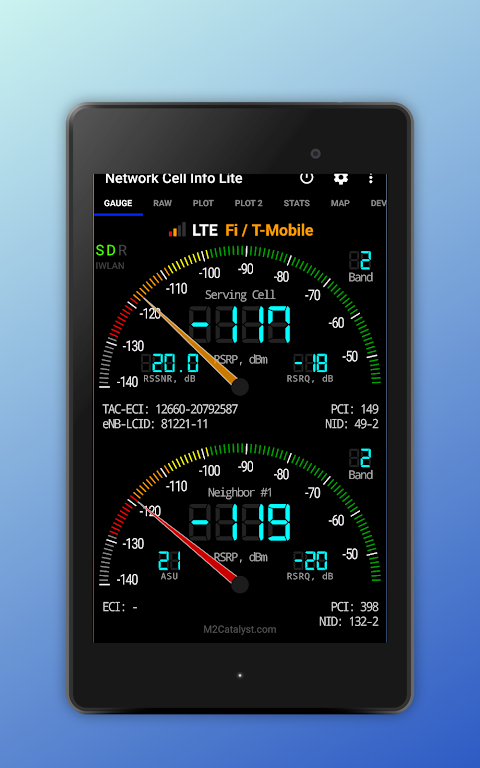
☆Almost Real-Time (1 sec.) monitoring of cellular carrier and WiFi signals, in Gauge/Raw Tabs (*)
☆GSM, CDMA, UMTS (WCDMA), IWLAN, LTE, LTE+ support
☆Dual-SIM support (*)
☆2/3 Signal-meter gauges for both SIMs and WiFi (*)
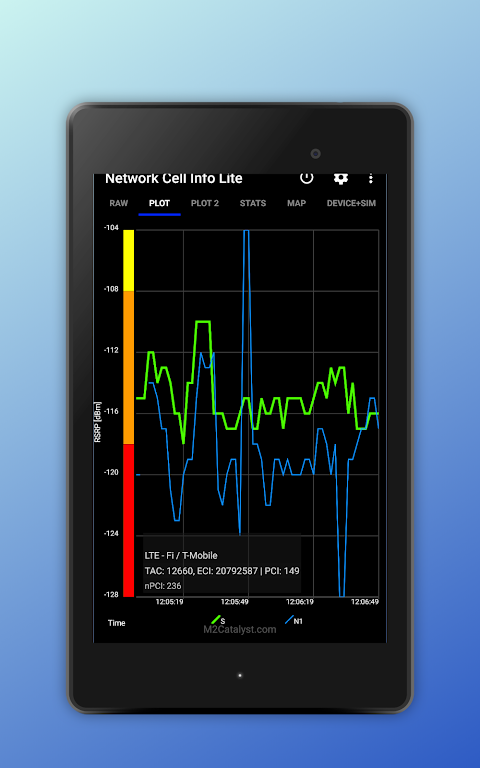
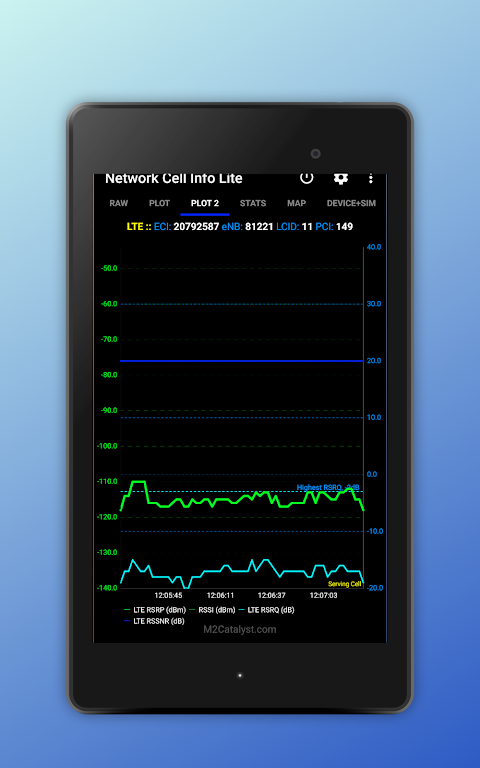
☆Signal Plots, up to 2 cells
☆Band number (*)
☆SIM# preference option, for other than Gauge tab
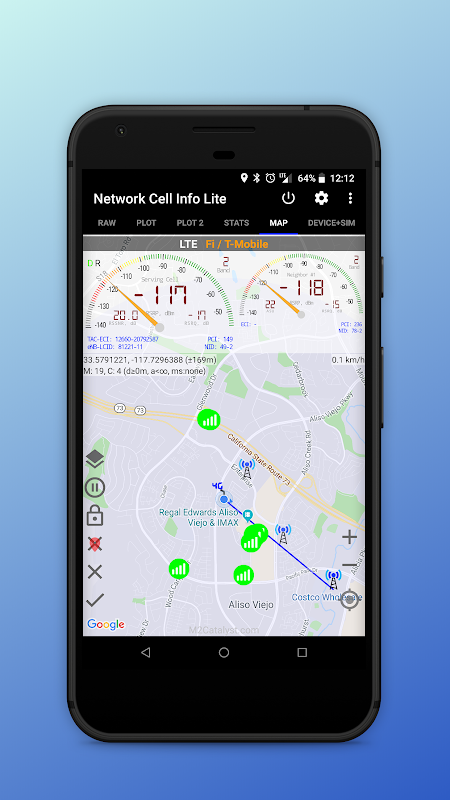
☆Map with network cellular info and signal-meter gauges
☆Logs, Measurements of cellular signals (in the Map tab)
☆Indication of cell locations (not carrier cell towers) in the Map, from Mozilla Location Service (MLS), ☆excl. CDMA (*)
☆Crowd sourced Best Signal Finder shows your carrier's nearest best signals
☆Route coloring (in the Map) according to the signal strength, and map markers with location and signal info
☆Measurements settings (minimum distance, minimum accuracy, motion sensor, etc.)
☆Database export measurements in KML 2.2, MLS Geosubmit v.2, CLF v.3, OpenCellID CSV, ☆CMWF database types
☆Network information in Status Bar
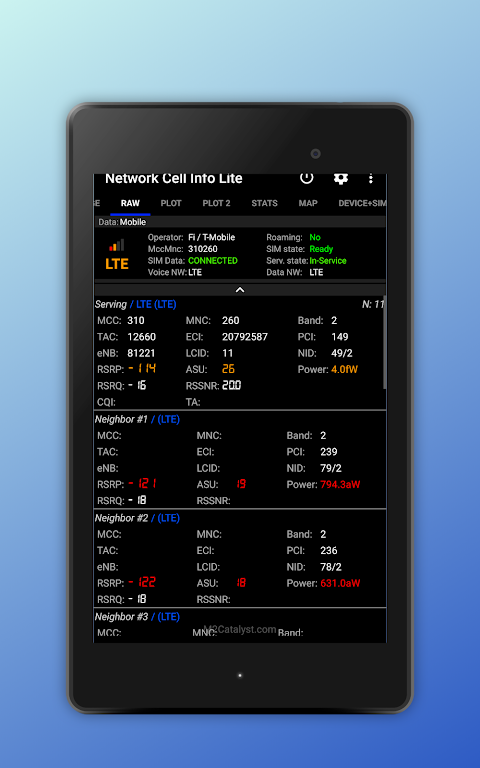
☆Raw view of carrier network cellular info
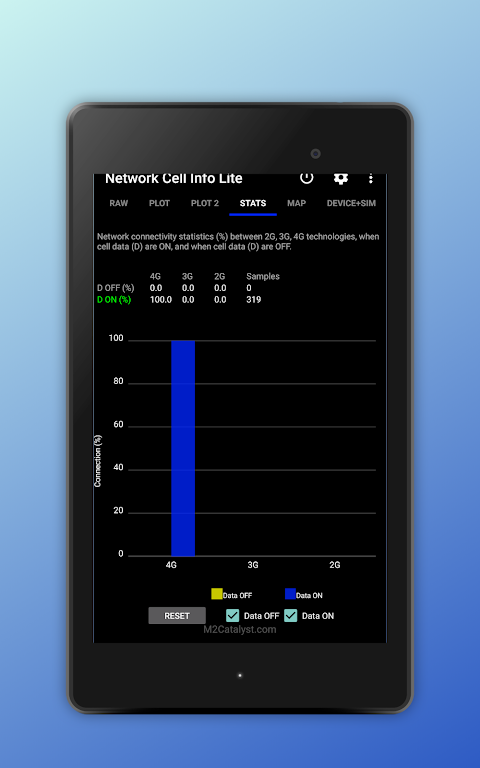
☆Connection statistics (2G/3G/4G)
☆SIM and device info
📃Notes:
Data accuracy is dependent on the device implementation of Android APIs. Not all manufacturers/devices implement fully/correctly Android APIs.
For Android < 5.0, Dual SIM is not supported for non-MediaTek devices, due to Android/device limitation.
You may use Mozilla Stumbler app, to update the Mozilla MLS database in your area.
Please check also the richer features of our paid app: https://play.google.com/store/apps/details?id=com.wilysis.cellinfo
BETA, when available: https://m2catalyst.com/apps/network-cell-info/beta-testing
Manual: https://m2catalyst.com/apps/network-cell-info/manual
FAQ: http://m2catalyst.com/apps/network-cell-info/faq (also FAQ inside app settings / about)
Common Database Formats: https://m2catalyst.com/apps/network-cell-info/database
Pro subscription Database Formats: https://m2catalyst.com/apps/network-cell-info/database-pro
Phone issues: https://m2catalyst.com/apps/network-cell-info/android-issues
Dual SIM issues: Make sure you enable it in the app settings, https://m2catalyst.com/apps/network-cell-info/dual-sim-issues
Measurements database: The measurements you make in the MAP tab, can be saved locally on your device.
* Tips to common install issues:
1. If Google Play hangs while installing the app, reboot your device.
* Tips to common start-up issues:
1. Update app to latest Release.
2. Uninstall the app, (reboot the device,) and re-install.
3. Perform any pending system and/or google apps update(s), and re-install the app.
4. If your Android/ROM/root somehow modifies the apk, then the app will not work.
5. Turn the internet on, before you start the app for the first time (or after a long time).
6. Email us to help you!
Thanks for all the feedback!
** Network Cell Signal & WiFi Info Lite is distributed exclusively in the Google Play Store **
شكرا لكم! لقد وصلنا إلى أكثر من 3،000،000 مستخدم فريد قاموا بتثبيت تطبيقنا على جهاز واحد على الأقل لأول مرة.
(*) لا نظهر / نملك مواقع للبرج ، ولكننا نوضح مواقع الخلية من قاعدة بيانات Mozilla MLS.
Network Cell Info هي أداة لمراقبة الشبكة الخلوية وسجل أداة للقياس (4G + ، LTE ، CDMA ، WCDMA ، GSM). كما يوفر معلومات WiFi (تجريبية).
مقارنة الميزات : https://m2catalyst.com/apps/network-cell-info/features
الميزات الرئيسية :
مراقبة في الوقت الفعلي تقريبًا (ثانية واحدة) للإشارات الخلوية وإشارات WiFi ، في علامات التبويب Gauge / Raw (*)
دعم GSM و CDMA و UMTS (WCDMA) و IWLAN و LTE و LTE +
دعم بطاقة SIM المزدوجة (*)
مقاييس إشارة 2/3 لكل من بطاقات SIM و WiFi (*)
مؤامرات الإشارة ، ما يصل إلى 2 الخلايا
رقم الفرقة (*)
خيار تفضيل بطاقة SIM ، بخلاف علامة التبويب Gauge
خريطة مع معلومات الشبكة الخلوية ومقاييس إشارة متر
سجلات ، قياسات الإشارات الخلوية (في علامة التبويب خريطة)
بيان مواقع الخلايا (وليس أبراج الخلايا) في الخريطة ، من خدمة الموقع موزيلا (MLS) ، باستثناء. CDMA (*)
تلوين المسار (في الخريطة) وفقًا لقوة الإشارة ، وعلامات الخريطة مع معلومات الموقع والإشارة
إعدادات القياسات (الحد الأدنى للمسافة ، الحد الأدنى من الدقة ، مستشعر الحركة ، وما إلى ذلك)
قياسات تصدير قاعدة البيانات في أنواع قواعد بيانات KML 2.2 و MLS Geosubmit v.2 و CLF v.3 و OpenCellID CSV و CMWF
معلومات الشبكة في شريط الحالة
عرض أولي لشبكة المعلومات الخلوية
إحصائيات الاتصال (2G / 3G / 4G)
SIM ومعلومات الجهاز
(*) ملاحظات:
تعتمد دقة البيانات على تطبيق الأجهزة لواجهات برمجة تطبيقات Android. لا تقوم جميع الشركات المصنعة / الأجهزة بتنفيذ واجهات برمجة تطبيقات Android بالكامل / بشكل صحيح.
بالنسبة إلى Android <5.0 ، لا يدعم Dual SIM للأجهزة التي لا تنتمي إلى MediaTek ، نظرًا لقيود Android / device.
يمكنك استخدام تطبيق Mozilla Stumbler لتحديث قاعدة بيانات Mozilla MLS في منطقتك.
يرجى التحقق أيضًا من الميزات الأكثر ثراء في تطبيقنا المدفوع: https://play.google.com/store/apps/details؟id=com.wilysis.cellinfo
BETA ، عند توفرها : https://m2catalyst.com/apps/network-cell-info/beta-testing
دليل : https://m2catalyst.com/apps/network-cell-info/manual
الأسئلة الشائعة : http://m2catalyst.com/apps/network-cell-info/faq (أيضًا الأسئلة الشائعة داخل إعدادات التطبيق / حول)
تنسيقات قاعدة البيانات الشائعة : https://m2catalyst.com/apps/network-cell-info/database
تنسيقات قاعدة بيانات الاشتراك برو : https://m2catalyst.com/apps/network-cell-info/database-pro
مشكلات الهاتف : https://m2catalyst.com/apps/network-cell-info/android-issues
مشكلات بطاقة SIM المزدوجة : تأكد من تمكينها في إعدادات التطبيق ، https://m2catalyst.com/apps/network-cell-info/dual-sim-issues
قاعدة بيانات القياسات : يمكن حفظ القياسات التي تجريها في علامة التبويب MAP محليًا على جهازك.
* نصائح لحل مشاكل التثبيت الشائعة:
1. في حالة تعليق Google Play أثناء تثبيت التطبيق ، أعد تشغيل جهازك.
* نصائح لقضايا بدء التشغيل الشائعة:
1. تحديث التطبيق إلى أحدث إصدار.
2. قم بإلغاء تثبيت التطبيق ، (إعادة تشغيل الجهاز ،) وإعادة التثبيت.
3. قم بإجراء أي تحديثات معلقة للنظام و / أو تحديثات google ، وأعد تثبيت التطبيق.
4. إذا قام Android / ROM / root بتعديل apk بطريقة ما ، فلن يعمل التطبيق.
5. قم بتشغيل الإنترنت ، قبل بدء تشغيل التطبيق لأول مرة (أو بعد فترة طويلة).
6. مراسلتنا لمساعدتك!
شكرا لكل الردود!
** يتم توزيع Network Cell Info Lite حصريًا على متجر Google Play **
معلومات إضافية
تاريخ التحديث
2026-10-02الإصدار
5.0.13الحجم
6.05 ميجابايتالمطور
Wilysisapps@wilysis.com
تصنيف المحتوى
Everyoneالحزمة
com.wilysis.cellinfoliteالتوقيع (MD5)
47a83596aadd7b03244c753c8ed8d5d0إصدارات سابقة
4.19.82020-12-11 • 4.08 ميجابايت