
Video & TV Cast | Chromecast
3.0
١٠ مليونتنزيل
11.42 ميجابايتالحجم
موقّع وموثوق
لقطات الشاشة
عن التطبيق
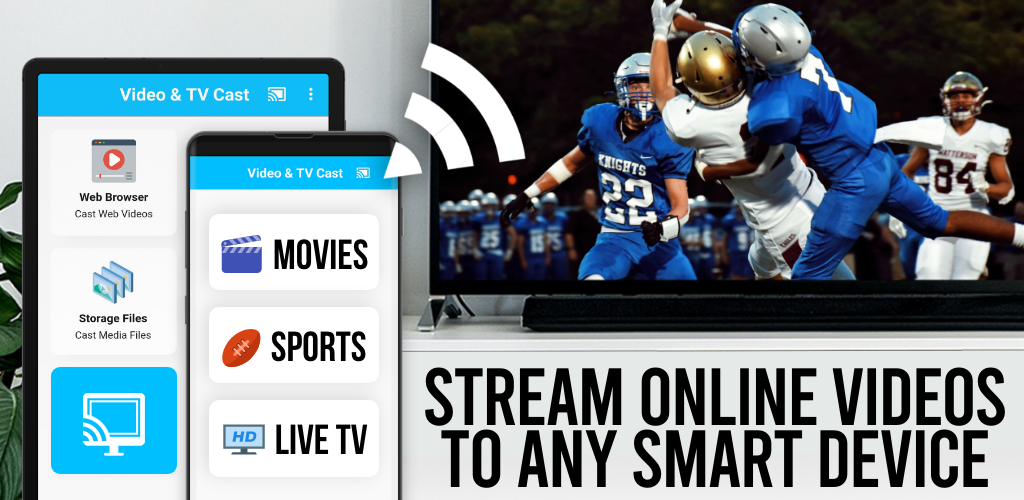
Upgrade your Chromecast to watch webvideos, online movies, livestreams and live-tv shows directly on your biggest screen with the no#1 web video caster. Mp4, m3u8, hls livestreams, video over https and of course Full HD are supported.
*** This app only works with a Google Chromecast, or a Google Cast / Android TV powered device***
With Video & TV Cast you can browse through the web and stream or cast any video you want on your Chromecast. Just navigate to your favorite website and send the embedded video with a single tap to your Chromecast. The discovered video will be shown below the browser. A tap on the video link will send it to your Chromecast immediately.
>>> IMPORTANT NOTES, PLEASE READ
* NOT SUPPORTED Videos: Flash video, Google Play movies, Netflix, Amazon and HBO and other DRM protected videos web-videos, online-movies, livestreams and live-tv shows.
* Please test your websites and videos in the free edition! If casting fails, upgrading will NOT make it work magically.
* The app does NOT mirror your full Android device, it just pushes the video part of a website to your Chromecast.
* To play mp4, m3u8 or other videofiles directly on Chromecast just enter or paste the full video-url in the browser adress bar.
* Sometimes it is necessary to play the video on your Android device before the link gets detected for casting.
* If you use Android 5.0 or later, please make sure to install the latest official Google WebView Update from the Play Store: https://play.google.com/store/apps/details?id=com.google.android.webview
* If the connection does not work, please try to restart your Android device, Chromecast and wifi router.
* If a specific web-video, online-movie, livestream or live-tv show does not cast, please check our FAQ or send the website and video link to <a href="mailto:chromecast@video-tv-cast.com">chromecast@video-tv-cast.com</a> by using the report feature in the app. We will try to add support for your video as soon as possible. Leaving negative Play Store reviews without any information about your issue will not give us a chance to help you.
* Security Note: For your safety Video & TV cast only needs minimal Android permissions to work. Unlike others we do NOT access your identity data, accounts, device id, phone status, gps location or contacts. Please always check the required app permissions before you trust and install any Android app.
>>> QUICK START GUIDE
1) Wait some seconds until the red icon in the menu bar changes to a filled white icon. If your Chromecast is not found, please restart the app.
2) Google your favorite video (e.g. on youtube) or enter the video-url directly in the browser adress bar by tapping on the pen icon in the menu bar.
3) Wait some seconds until the video link (mp4, m3u8, etc.) is shown below the browser. If "No videolink found to cast" stays, please play the video locally in the browser first and open it in fullscreen mode, then wait some seconds.
4) After the link is detected tap on "Tap here to cast" below the browser and casting will start. To stop casting, please tap on the cast icon in the menu bar.
5) Enjoy your web-video, online-movie, livestream or live-tv show and share our app on Twitter or Facebook :)
>>> A MESSAGE FROM THE DEVELOPERS
If you have suggestions or discover any problems with Video & TV Cast, please let us know at <a href="mailto:chromecast@video-tv-cast.com">chromecast@video-tv-cast.com</a>. We will help you as soon as we can.
If you like the app, please support us by giving a 5-star rating on Google Play or purchasing one of the addons. Thank you for all your support!
Disclaimer: This app is not affiliated with Google or any other trademark mentioned here.
</div> <div jsname="WJz9Hc" style="display:none">ترقية جهاز Chromecast لمشاهدة webvideos، والأفلام عبر الإنترنت، لبث المباشر ويظهر الحية التلفزيون مباشرة على أكبر شاشة الخاصة بك مع أي # 1 العجلات الفيديو على شبكة الإنترنت. ويدعم MP4، M3U8، HLS لبث المباشر، الفيديو عبر https و بالطبع HD كامل.
*** هذا التطبيق يعمل فقط مع جوجل في Chromecast، أو الفيلم / الروبوت التلفزيون جهاز جوجل تعمل بالطاقة ***
مع الفيديو والتلفزيون المصبوب يمكنك من خلال تصفح شبكة الإنترنت، وتيار أو يلقي أي فيديو تريد على جهاز Chromecast. ما عليك سوى الانتقال إلى موقع الويب المفضلة لديك وإرسال الفيديو المدمجة بنقرة واحدة على جهاز Chromecast. وسيتم عرض الفيديو اكتشفت تحت المتصفح. وقال الحنفية على رابط فيديو إرسالها إلى جهاز Chromecast على الفور.
>>> ملاحظات هامة، يرجى القراءة
* فيديو غير معتمد: فلاش فيديو، أفلام Google Play، نيتفليكس، والأمازون وHBO وغيرها من إدارة الحقوق الرقمية المحمية أشرطة الفيديو على شبكة الإنترنت وأشرطة الفيديو،-الأفلام عبر الإنترنت، لبث المباشر وعروض البث المباشر.
* يرجى اختبار المواقع ومقاطع الفيديو في النسخة المجانية! إذا فشل الصب، ورفع مستوى لا جعله يعمل بطريقة سحرية.
* التطبيق لا تعكس جهاز الروبوت الكامل، فإنه يدفع فقط الجزء الفيديو من موقع على شبكة الانترنت لجهاز Chromecast.
* لتشغيل MP4، M3U8 أو videofiles أخرى مباشرة في Chromecast فقط أدخل أو لصق كامل رابط الفيديو في شريط عنوان المتصفح.
* أحيانا يكون من الضروري لتشغيل الفيديو على جهاز الروبوت الخاص بك قبل ان يحصل على الكشف عن وصلة لالصب.
* إذا كنت تستخدم الروبوت 5.0 أو في وقت لاحق، يرجى التأكد من تثبيت أحدث مسؤول تحديث عرض ويب جوجل من سوق Play: https://play.google.com/store/apps/details؟id=com.google.android.webview
* إذا لم ينجح الاتصال، يرجى المحاولة لإعادة تشغيل جهاز الروبوت الخاص بك، يمكنك استخدام Chromecast وجهاز التوجيه اللاسلكي.
* إذا كان محددا الفيديو على شبكة الإنترنت، عبر الإنترنت، فيلم، البث المباشر أو حية للبرنامج تلفزيوني لا يلقي، يرجى مراجعة موقعنا على التعليمات أو إرسال الموقع وصلة فيديو ل<a href="mailto:chromecast@video-tv-cast.com">chromecast@video-tv-cast.com</a> باستخدام ميزة تقرير في التطبيق. سنحاول إضافة دعم للفيديو الخاص بك في أقرب وقت ممكن. وترك السلبية استعراض متجر Play دون أي معلومات عن مشكلتك لا يعطينا فرصة لمساعدتك.
* الأمن ملاحظة: للحصول على سلامتك الفيديو والتلفزيون يلقي يحتاج فقط أذونات الروبوت الحد الأدنى للعمل. وخلافا للآخرين أننا لا الوصول إلى البيانات الهوية، والحسابات، معرف الجهاز، وضع الهاتف، موقع لتحديد المواقع أو الاتصالات. يرجى دائما التحقق من أذونات التطبيق المطلوبة قبل أن تثق وتثبيت أي برنامج الروبوت.
>>> دليل البدء السريع
1) انتظر بعض الثواني حتى الأيقونة الحمراء في التغييرات شريط القوائم إلى رمز الأبيض شغلها. إذا لم يتم العثور على جهاز Chromecast، يرجى إعادة تشغيل التطبيق.
2) جوجل فيديو المفضل لديك (على سبيل المثال على يوتيوب) أو دخول في رابط الفيديو مباشرة في شريط عنوان المتصفح من خلال النقر على رمز القلم في شريط القوائم.
3) انتظر بعض الثواني حتى يظهر رابط الفيديو (MP4، M3U8، الخ) تحت المتصفح. إذا "لم يتم العثور على الإدلاء دائرة تلفزيونية مغلقة" يبقى، الرجاء تشغيل الفيديو محليا في المتصفح أولا وفتحه في وضع ملء الشاشة، ثم انتظر بعض الثواني.
4) بعد الكشف عن صلة الصنبور على "اضغط هنا للادلاء" أسفل المتصفح، وسوف يبدأ الصب. لوقف الصب، يرجى النقر على أيقونة المدلى بها في شريط القوائم.
5) استمتع الفيديو على شبكة الإنترنت، عبر الإنترنت، فيلم، البث المباشر أو حية للبرنامج تلفزيوني وتبادل التطبيق لدينا على تويتر أو الفيسبوك :)
>>> رسالة من المطورين
إذا كان لديك اقتراحات أو اكتشاف أي مشاكل مع الفيديو والتلفزيون المصبوب، واسمحوا لنا أن نعرف في <a href="mailto:chromecast@video-tv-cast.com">chromecast@video-tv-cast.com</a>. ونحن سوف تساعدك في أقرب وقت ممكن.
إذا كنت ترغب في التطبيق، يرجى دعم لنا بإعطاء تصنيف ال 5 نجوم على Google Play أو شراء واحدة من الخيارات وسائل الراحة. شكرا لدعمكم جميعا!
تنويه: لا يرتبط هذا التطبيق مع جوجل أو أي علامة تجارية أخرى ذكرها هنا.</div> <div class="show-more-end">
معلومات إضافية
تاريخ التحديث
2026-02-05الإصدار
2.36الحجم
11.42 ميجابايتالمطور
2kit consultinginfo@video-tv-cast.com
تصنيف المحتوى
Everyoneالحزمة
de.twokit.castbrowserالتوقيع (MD5)
bb5da54d90f45479e668971862ba2b4dإصدارات سابقة
2.312020-08-14 • 10.68 ميجابايت