Keyboard/Button Mapper
0.0
١٠ مليونتنزيل
3 ميجابايتالحجم
موقّع وموثوق
لقطات الشاشة
عن التطبيق
What can be remapped?
ONLY HARDWARE buttons can be remapped.
There is NO GUARANTEE any of these buttons will work and this app isn't designed to control games. Your device's OEM/vendor can prevent them from being remapped.
• Volume buttons.
• Navigation buttons.
• Bluetooth/wired keyboards and mice connected to your device.
• Buttons on other connected devices should also work.
You can combine multiple keys to form a "trigger" and have as many triggers as you want for each action. You can make a key map only work on a long press as well and to vibrate as well.
What can’t be remapped?
• Pixel Active Edge
• OnePlus Alert Slider
• Power button
• Bixby button
Your key maps don't work if the screen is OFF.
What can I remap my keys to do?
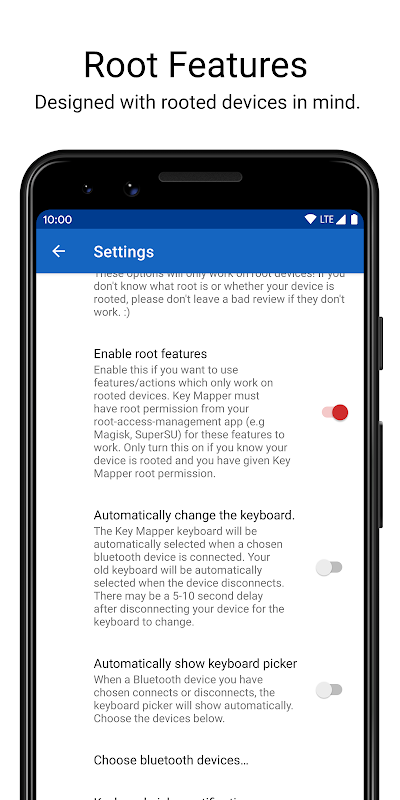
Some actions will only work on rooted devices and specific Android versions.
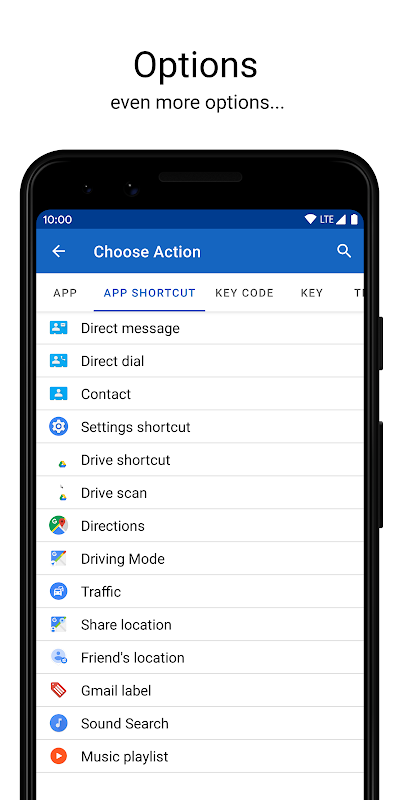
• Open an app
• Open an app shortcut. This feature is very useful since you can tell another app to do something Key Mapper can’t. E.g If your launcher has a shortcut to open the app drawer, you can select that shortcut in this app and make any button open the app drawer.
• Go back
• Go home
• Open recents
• Open menu
• Expand notification drawer
• Expand quick settings
• Collapse status bar
• Toggle/enable/disable WiFi
• Toggle/enable/disable Bluetooth
• Toggle/enable/disable mobile data (ROOT only)
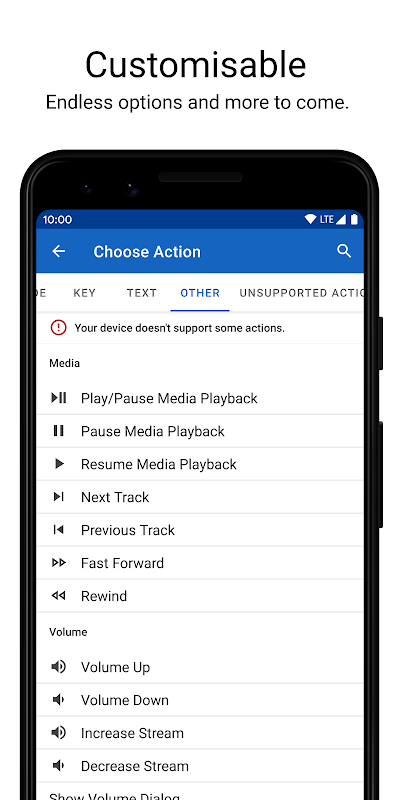
• Toggle Play/pause media
• Pause/play media
• Fast forward/rewind
• Next/previous track
• Volume up/down
• Increase/decrease a specific volume stream
• Show the volume dialog
• Cycle through and change the ringer mode
• Mute/unmute/toggle mute (Android 6.0+)
• Toggle/enable/disable auto-rotate
• Switch between portrait and landscape mode
• Force portrait/landscape mode
• Toggle/enable/disable auto-brightness
• Increase/decrease brightness
• Toggle/enable/disable flashlight (Android 6.0+)
• Take a screenshot (Android 9.0+)
• Open the Google Assistant
• Open camera
• Consume key event. (Do nothing)
• Lock the device
• Move the cursor to the end of a file
• Toggle, show and hide the keyboard
• Show the keyboard picker (ROOT only for Android 8.1+)
The Key Mapper keyboard needs to be selected for these to work and you can’t use a soft keyboard at the same time:
• Input a specific keycode
• Input a key
• Insert a block of text
More will be added. If you have any ideas, leave a comment or email the developer. 😃
What other things can the app do?
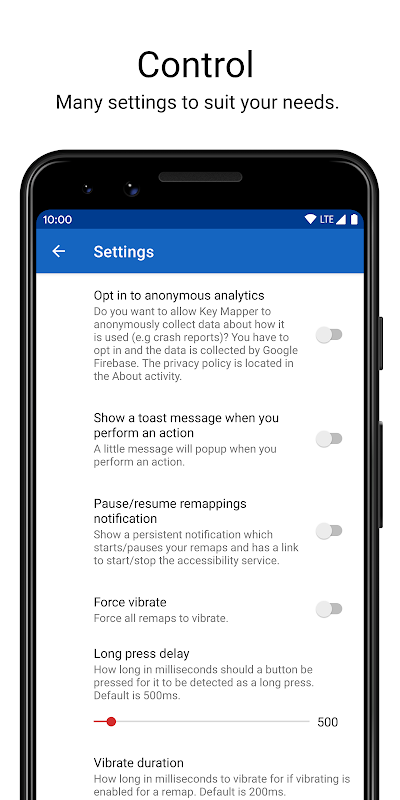
• Option to show a persistent notification which can pause/resume your keymaps. It can also open the accessibility settings on the device to enable/disable the service. Rooted devices can start/stop the accessibility service without going into settings and just tap the notification.
• Automatically change the keyboard to the Key Mapper one and/or show the keyboard picker when a chosen Bluetooth device is connected and switch back to the old one when it is disconnected.
Permisisons
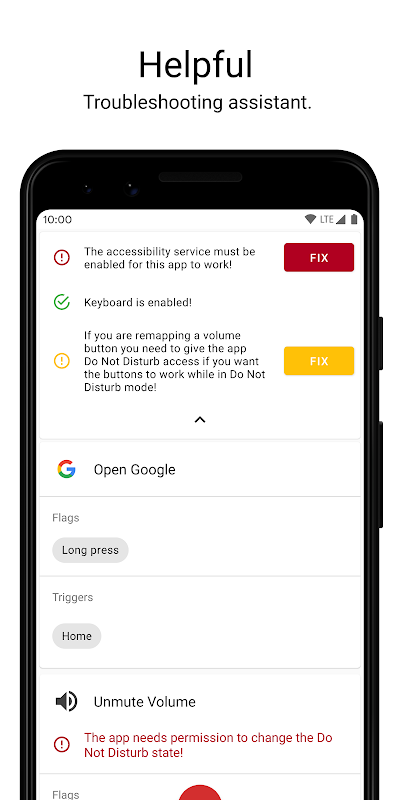
You don't have to grant all the permissions for the app to work. The app will tell you if a permission needs to be granted for a feature to work.
• Accessibility Service: Basic requirement for remapping to work. It is needed so the app can listen to and block keyevents.
• Device Admin: To turn the screen off when using the action to turn off the screen
• Modify System Settings: To change the brightness and rotation settings
• Camera: To control the flashlight
On some devices, enabling the accessibility service will disable "enhanced data encryption".
Source code: https://github.com/sds100/KeyMapper
XDA Thread: https://forum.xda-developers.com/android/apps-games/app-keyboard-button-mapper-t3914005
ماذا يمكن إعادة تعيينه؟
يمكن إعادة تعيين أزرار ON HARDWARE .
لا يوجد ضمان بأن أي من هذه الأزرار سيعمل ولم يتم تصميم هذا التطبيق للتحكم في الألعاب. يمكن أن يمنع OEM / البائع الموجود بجهازك إعادة تعيينها.
• أزرار الصوت.
• أزرار التنقل.
• لوحة مفاتيح Bluetooth / سلكية وفئران متصلة بجهازك.
• يجب أن تعمل الأزرار الموجودة على الأجهزة الأخرى المتصلة.
يمكنك الجمع بين مفاتيح متعددة لتشكيل "المشغل" ولديك العديد من المشغلات التي تريدها لكل إجراء. يمكنك جعل خريطة رئيسية تعمل فقط على الضغط لفترة طويلة وكذلك للاهتزاز كذلك.
ما الذي لا يمكن إعادة تعيينه؟
• بكسل النشطة الحافة
• OnePlus تنبيه المتزلج
• زر الطاقة
• زر Bixby
لا تعمل خرائطك الرئيسية إذا كانت الشاشة في وضع إيقاف التشغيل.
ما الذي يمكنني إعادة تعيين مفاتيحي على القيام به؟
ستعمل بعض الإجراءات فقط على الأجهزة ذات الجذور وإصدارات Android المحددة.
• افتح التطبيق
• افتح اختصار التطبيق. هذه الميزة مفيدة للغاية نظرًا لأنه يمكنك إخبار تطبيق آخر بالقيام بشيء لا يستطيع Key Mapper. على سبيل المثال ، إذا كان لدى المشغّل اختصارًا لفتح درج التطبيق ، فيمكنك تحديد هذا الاختصار في هذا التطبيق وجعل أي زر يفتح درج التطبيق.
• عد
• اذهب للمنزل
• تلاوات مفتوحة
• فتح القائمة
• قم بتوسيع درج الإشعارات
• توسيع الإعدادات السريعة
• طي شريط الحالة
• تبديل / تمكين / تعطيل واي فاي
• تبديل / تمكين / تعطيل بلوتوث
• تبديل / تمكين / تعطيل بيانات الجوال (ROOT فقط)
• تبديل تشغيل / إيقاف مؤقت للوسائط
• إيقاف مؤقت / تشغيل الوسائط
• سريع إلى الأمام / الترجيع
• التالي / المسار السابق
• حجم أعلى / أسفل
• زيادة / نقصان تيار حجم معين
• إظهار مربع الحوار حجم الصوت
• مرر وتغير وضع المسابقة
• كتم / إلغاء كتم / تبديل كتم الصوت (Android 6.0+)
• تبديل / تمكين / تعطيل التدوير التلقائي
• التبديل بين وضع عمودي وأفقي
• قوة عمودي / وضع أفقي
• تبديل / تمكين / تعطيل السطوع التلقائي
• زيادة / تقليل السطوع
• تبديل / تمكين / تعطيل مصباح يدوي (Android 6.0+)
• التقط لقطة شاشة (Android 9.0+)
• افتح مساعد Google
• افتح الكاميرا
• تستهلك الحدث الرئيسي. (لا تفعل شيئا)
• قفل الجهاز
• انقل المؤشر إلى نهاية الملف
• تبديل وإظهار وإخفاء لوحة المفاتيح
• إظهار منتقي لوحة المفاتيح (ROOT فقط لنظام Android 8.1+)
يجب تحديد لوحة المفاتيح Key Mapper كي تعمل هذه المفاتيح ولا يمكنك استخدام لوحة مفاتيح ناعمة في نفس الوقت:
• إدخال رمز مفتاح معين
• إدخال مفتاح
• إدراج كتلة من النص
سيتم إضافة المزيد. إذا كانت لديك أية أفكار ، فاترك تعليقًا أو أرسل رسالة إلى المطور. 😃
ما الأشياء الأخرى التي يمكن أن يفعلها التطبيق؟
• خيار لإظهار إخطار مستمر يمكن أن توقف / تستأنف خرائط المفاتيح الخاصة بك. يمكنه أيضًا فتح إعدادات إمكانية الوصول على الجهاز لتمكين / تعطيل الخدمة. يمكن للأجهزة الجذر تشغيل / إيقاف خدمة الوصول دون الدخول إلى الإعدادات والنقر فوق الإشعار.
• قم بتغيير لوحة المفاتيح تلقائيًا إلى Key Mapper و / أو إظهار منتقي لوحة المفاتيح عند توصيل جهاز Bluetooth المختار والعودة إلى الجهاز القديم عند فصله.
Permisisons
ليس عليك منح جميع الأذونات لتشغيل التطبيق. سيخبرك التطبيق ما إذا كان هناك حاجة إلى منح إذن لتشغيل إحدى الميزات.
• خدمة الوصول: الشرط الأساسي لإعادة رسم الخرائط للعمل. هناك حاجة لذلك حتى يتمكن التطبيق من الاستماع إلى المفاتيح وحظرها.
• إدارة الجهاز: لإيقاف الشاشة عند استخدام الإجراء لإيقاف الشاشة
• تعديل إعدادات النظام: لتغيير إعدادات السطوع والدوران
• الكاميرا: للسيطرة على مصباح يدوي
في بعض الأجهزة ، يؤدي تمكين خدمة الوصول إلى تعطيل "تشفير البيانات المحسّن".
شفرة المصدر: https://github.com/sds100/KeyMapper
موضوع XDA: https://forum.xda-developers.com/android/apps-games/app-keyboard-button-mapper-t3914005
معلومات إضافية
تاريخ التحديث
2026-10-11الإصدار
1.1.3الحجم
3 ميجابايتالمطور
تصنيف المحتوى
Everyoneالحزمة
io.github.sds100.keymapperالتوقيع (MD5)
36c4c2cd7ace5a0e4cdd3e4ccb2bf588